

AI Can’t Read Your Mind: The Input Mistake That Creates Bad Outputs
AI isn’t “being dumb,” it’s guessing from vague instructions. Here’s how to feed it better inputs so you get useful drafts, accurate summaries, and consistent results.

AI Blog 12
If AI has ever made you want to throw your laptop, you’re not alone.
You ask for something simple. It gives you something weird.
You ask again. It gets worse.
You tweak it for 20 minutes. Now you’ve wasted the time you were trying to save.
And the most common reason is not that “AI is bad.”
It’s that you fed it a vague request and expected a perfect result.
Here’s the tabloid truth:
Most AI “fails” are input failures.
AI is a pattern engine. If you give it fuzzy instructions, it fills in blanks. Sometimes it guesses well. Sometimes it guesses like an overconfident intern.
This blog shows you the simple way to get better results fast, without becoming a prompt nerd.
The “garbage in, garbage out” reality, in business terms
AI performs best when the assignment is clear.
But business owners often prompt like this:
- “Write a proposal for my service.”
- “Make this email sound professional.”
- “Write a blog about SEO.”
- “Summarize this thread.”
Those prompts are missing the stuff that makes output useful:
- who it’s for
- what you want the reader to do
- how long it should be
- what tone you want
- what details must be included
- what details must NOT be included
- the format you want back
So AI does what it always does when it’s missing details.
It guesses.
The 5-part prompt formula that fixes 80% of problems
If you remember one thing from this post, remember this:
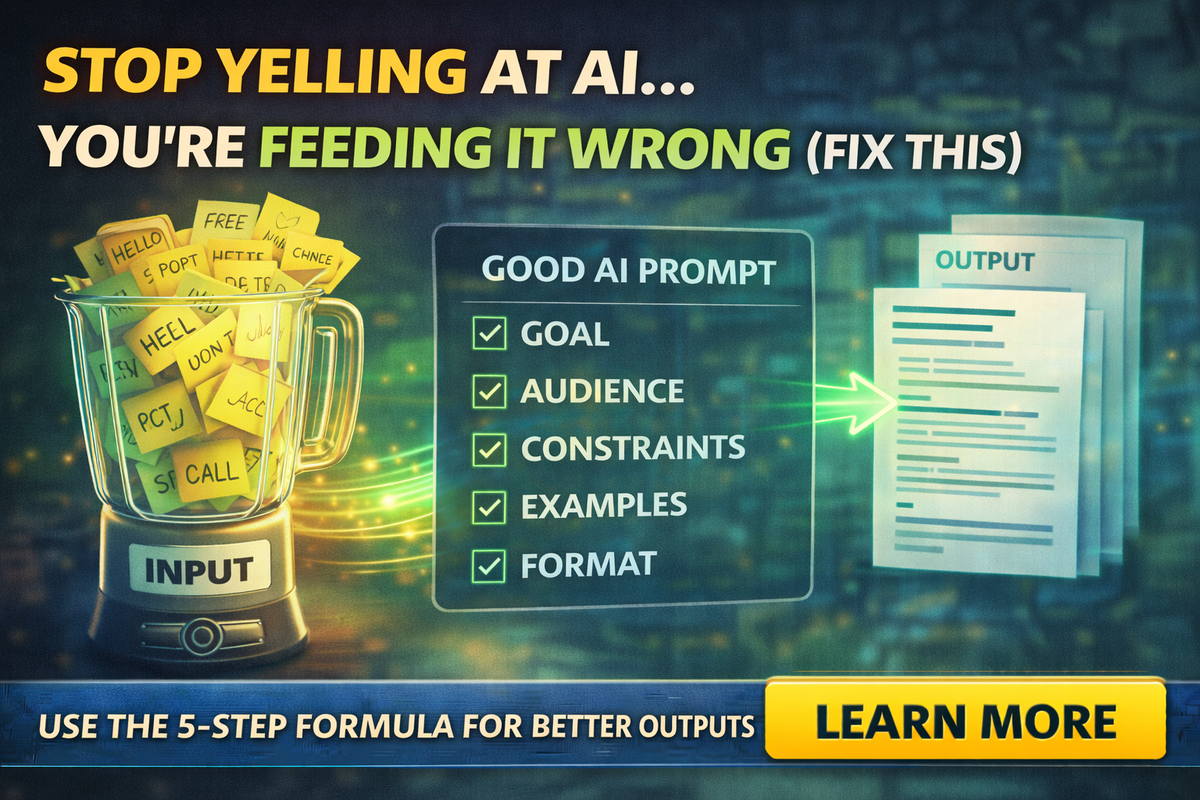
Goal + Audience + Constraints + Examples + Format
That’s it.
You can write a “good prompt” in 20 seconds if you hit those five.
Goal
What are you trying to produce?
“Draft a quote email.”
“Summarize this thread into tasks.”
“Create a service page outline.”
“Write a review reply.”
Audience
Who is reading it?
- homeowner
- realtor
- property manager
- insurance client
- small business owner
- internal team member
If you don’t tell AI the audience, it uses generic corporate tone.
Constraints
What rules must it follow?
Examples:
- “Keep it under 150 words.”
- “No promises, no guarantees.”
- “Do not mention pricing.”
- “Use a calm, confident tone.”
- “Avoid jargon.”
- “No emojis.”
- “Use short paragraphs and bullet points.”
Constraints are how you stop the weird stuff.
Examples
Give it one sample or even one sentence you like.
This is the cheat code.
Example:
“Match this tone: ‘Hey Jim, quick update. We can do Tuesday or Thursday. Which works best?’”
Even one line makes AI sound more like your business.
Format
Tell it exactly what you want back.
- “Return 3 subject lines and 1 email body.”
- “Return a checklist with headings.”
- “Return a table with columns.”
- “Return a 5-bullet summary and 5 action items.”
If you don’t specify format, AI may ramble.
The tiny mistake that wastes the most time
Here it is:
Asking AI to do everything at once.
Business owners often prompt like:
“Write my blog, make it SEO friendly, add a CTA, include keywords, and make it fun.”
That’s five tasks.
Instead, do this:
- “Create an outline with headings and key points.”
- “Write the intro and first section in this tone.”
- “Write the rest using the outline.”
- “Give me SEO title and meta description.”
- “Now rewrite it shorter for social.”
AI is faster when you break work into steps.
You get better results and fewer hallucinations because each step is narrower.
A “prompt starter pack” for service businesses
Here are practical prompts you can reuse. Swap bracket text.
Prompt 1: Turn a messy email thread into tasks
“Summarize this email thread in 5 bullets. Then list action items as tasks with an owner and due date suggestion.
Constraints: do not invent facts. If missing info, list questions.”
Prompt 2: Draft a follow-up that sounds human
“Write a follow-up email to [audience] about [topic].
Include: context, one helpful detail, and two next-step options.
Tone: calm, confident, not pushy.
Constraints: avoid filler phrases and avoid hype.”
Prompt 3: Rewrite a service description so it converts
“Rewrite this service description for a [type of customer].
Goal: make it clear, specific, and easy to understand.
Constraints: no buzzwords, no exaggerated claims, keep it under 120 words.
Format: headline + 3 bullets + CTA line.”
Prompt 4: Create a quote template without making promises
“Create a one-page quote template for [service].
Include: scope, what’s included, exclusions, timeline as ‘estimated,’ payment terms, and next steps.
Constraints: no guarantees, no refunds language unless I provide it.”
Prompt 5: Google Business Profile post that doesn’t sound like AI
“Write a short Google Business Profile post for [service] in [city/area].
Tone: friendly, local, real.
Constraints: no exclamation overload, no emojis, no generic phrases.
Format: 1 headline + 2 short paragraphs + CTA.”
How to stop AI from “making stuff up”
AI guesses when it’s missing information. Reduce that with one simple instruction:
“Do not invent facts. If you are unsure, ask questions.”
Then add:
“List assumptions separately.”
That forces the model to separate what it knows from what it’s inferring.
The “Better Inputs” checklist before you hit Enter
Before you send a prompt, ask:
- Did I tell it the goal?
- Did I define who it’s for?
- Did I give constraints?
- Did I provide an example or tone clue?
- Did I specify format?
If you answer yes to at least 4 of 5, you’re going to get better output.
Wrap-up
AI isn’t a mind reader. It’s a fast drafter.
If you give it clear inputs, it saves you hours.
If you feed it vague instructions, it makes you babysit it.
If you want help building a prompt pack, training your team, and creating AI workflows that actually match how small businesses operate, Managed Nerds can set it up so the output is consistent, safe, and useful, not random.
Thank you for reading. Subscribe for more Small Business AI tips.



