

AI Copied Your Client’s Tone… and Now You Sound Rude: The Empathy Fail in Customer Messages
AI can write fast replies, but it can also copy a customer’s attitude and make you sound cold or rude. Here’s the simple system to keep messages calm and professional.

You didn’t mean to be rude.
You just wanted a fast reply.
A customer sent a spicy message. You were busy. You pasted it into AI and asked for a response. AI wrote something clean, direct, and “professional.”
Then the customer got colder. Or they escalated. Or they left a review that starts with:
“Customer service was horrible.”
This is one of the most dangerous AI mistakes for service businesses because it hits you where you can’t afford damage: trust.
And the worst part is that AI can cause this problem even when the grammar is perfect.
Because tone is not grammar.
Tone is relationship.
AI can mirror a client’s frustration and accidentally make you sound like you don’t care.
AI is trained to continue patterns. If the customer message is angry, blunt, sarcastic, or emotional, AI may reflect that energy back unless you force it into a calmer lane.
That “mirror effect” is how owners end up sending messages that feel cold, defensive, or dismissive, even if the content is technically correct.
Why this happens
When a customer complains, their message often includes:
- emotion
- blame
- urgency
- sarcasm
- short sentences
- threats (“I’ll leave a review”)
If you paste that into AI and say “reply,” AI can:
- match the short blunt style
- focus on “being correct”
- skip empathy
- “close the conversation” instead of saving it
It’s not trying to be mean. It’s trying to be efficient.
In customer situations, efficiency without empathy feels like disrespect.
The scenarios where AI tone risk is highest
AI can help with everyday communications. But there are a few situations where it’s most likely to hurt you.
Billing disputes
Customers are sensitive about money. If AI sounds firm or transactional, it can inflame the situation.
Schedule changes and missed appointments
The customer feels inconvenienced. If AI replies without acknowledging that, you look careless.
Mistakes you made
If there’s even a small error on your side, the tone needs humility and ownership.
Angry or threatening messages
If someone is already escalated, you want to de-escalate. Mirroring is the opposite.
Anything that could become a review
If this customer is one click away from leaving a public review, tone matters more than speed.
The “switch to human” rule
Here’s a simple policy that prevents most disasters:
If the customer message contains:
- anger
- sarcasm
- accusations
- threats
- refund demands
- “I’m reporting you”
- “I’m leaving a review”
AI can still help, but you should not send an AI response without a human tone check.
Even if you’re solo, do this:
- draft with AI
- rewrite the first two sentences yourself
- reread it out loud
- then send
The first two sentences decide whether the customer calms down or doubles down.
The three tone mistakes AI makes that trigger customers
It skips validation
Validation does not mean admitting fault. It means acknowledging impact.
Bad: “We can’t do that.”
Better: “I hear you, and I can see why that’s frustrating.”
It becomes defensive
Bad: “As stated in our policy…”
Better: “Here’s what happened, and here’s what we can do next.”
It over-optimizes for closure
Bad: “Let us know if you have questions.”
Better: “Here are two options. Which one works for you?”
Customers want a path forward, not a polite exit.
The de-escalation prompt that saves your reputation
Use this exact prompt for tense messages. It forces AI into the correct tone:
De-escalation Prompt
“Draft a calm, professional reply that de-escalates the situation.
Requirements:
- Start with a sincere acknowledgment of their frustration.
- Take ownership for any inconvenience without admitting fault you can’t confirm.
- State the facts briefly in plain English.
- Offer two concrete options to resolve it.
- End with one clear next-step question.
Constraints: No sarcasm, no defensiveness, no policy lecturing, no filler.”
This turns AI from “efficient” to “helpful.”
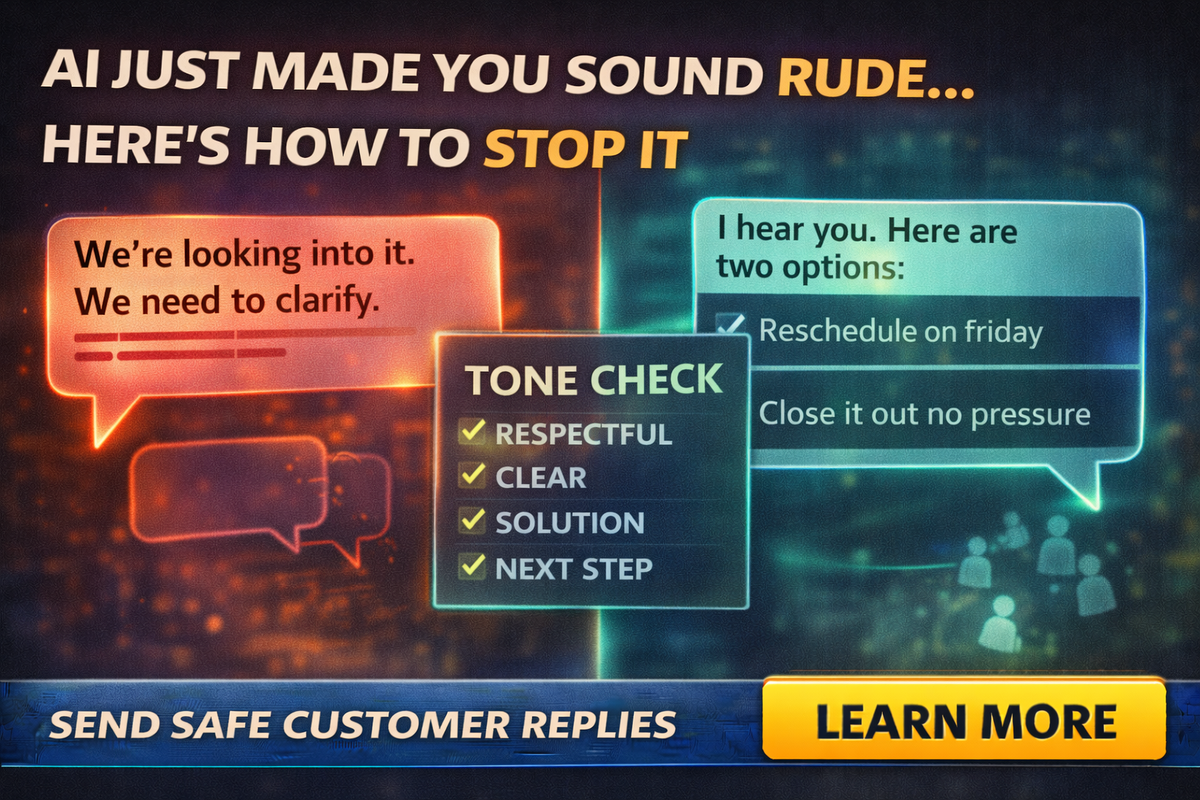
The “Tone Check” checklist before you hit send
Before you send any AI-assisted customer reply, check these four boxes:
Respectful
Does it sound like you actually care?
Clear
Can a stressed person understand it fast?
Solution-focused
Does it offer a real next step?
One question
Does it end with a simple question that makes replying easy?
If any box is missing, rewrite the first sentence and the last sentence.
That’s usually enough.
Templates you can use today
These templates are intentionally simple. You can have AI customize them but keep the structure.
Template 1: Scheduling delay
“Thanks for your patience. I understand this delay is frustrating.
Here’s what happened: [one sentence].
I can offer two options:
- [new time/date window], or
- [alternate solution].
Which option works best for you?”
Template 2: Missed appointment
“You’re right to be upset, and I’m sorry for the inconvenience.
We missed the mark on communication.
I can either:
- reschedule you for [two time windows], or
- if timing no longer works, we can close this out with no hard feelings.
What’s best for you?”
Template 3: Billing confusion
“Thanks for flagging this. I can see how this would be confusing.
Here’s what the charge covers: [short explanation].
If you’d like, I can:
- walk through it on a 5-minute call, or
- send a line-by-line breakdown by email.
Which do you prefer?”
Template 4: Complaint without clear fault
“I hear you, and I’m sorry this has been frustrating.
I want to get this resolved quickly.
To make sure we fix the right thing, can you confirm: [one question]?
Once I have that, I can offer two options: [option A] or [option B].”
This keeps you calm, respectful, and in control.
A professional trick: don’t let AI write your first sentence
If you want the simplest “small business rule” ever:
Write the first sentence yourself. Let AI write the middle. Write the last sentence yourself.
Why it works:
- The first sentence sets tone.
- The last sentence sets action.
AI can help with the explanation in the middle, but you control the relationship.
Final Thought
AI is great at drafting, but in tense customer situations it can mirror emotion and accidentally make you sound rude, cold, or defensive.
The fix is not to stop using AI.
The fix is to use it with guardrails:
- a switch-to-human rule for angry messages
- a de-escalation prompt for drafts
- a tone checklist before sending
- templates that end with clear options
If you want help building customer service templates, AI prompt packs, and team training that keeps your messages human and brand-safe, Managed Nerds can set it up, so AI makes you faster without making you sound like “that company.”
Thank you for reading. Subscribe for more Small Business AI Tips



