

AI Is Editing Your Contracts Wrong: The “Small Change” That Creates Big Risk
Using AI to “clean up” a contract sounds harmless, until one sentence quietly turns into a promise you never intended. Here’s how to use AI safely without legal landmines.

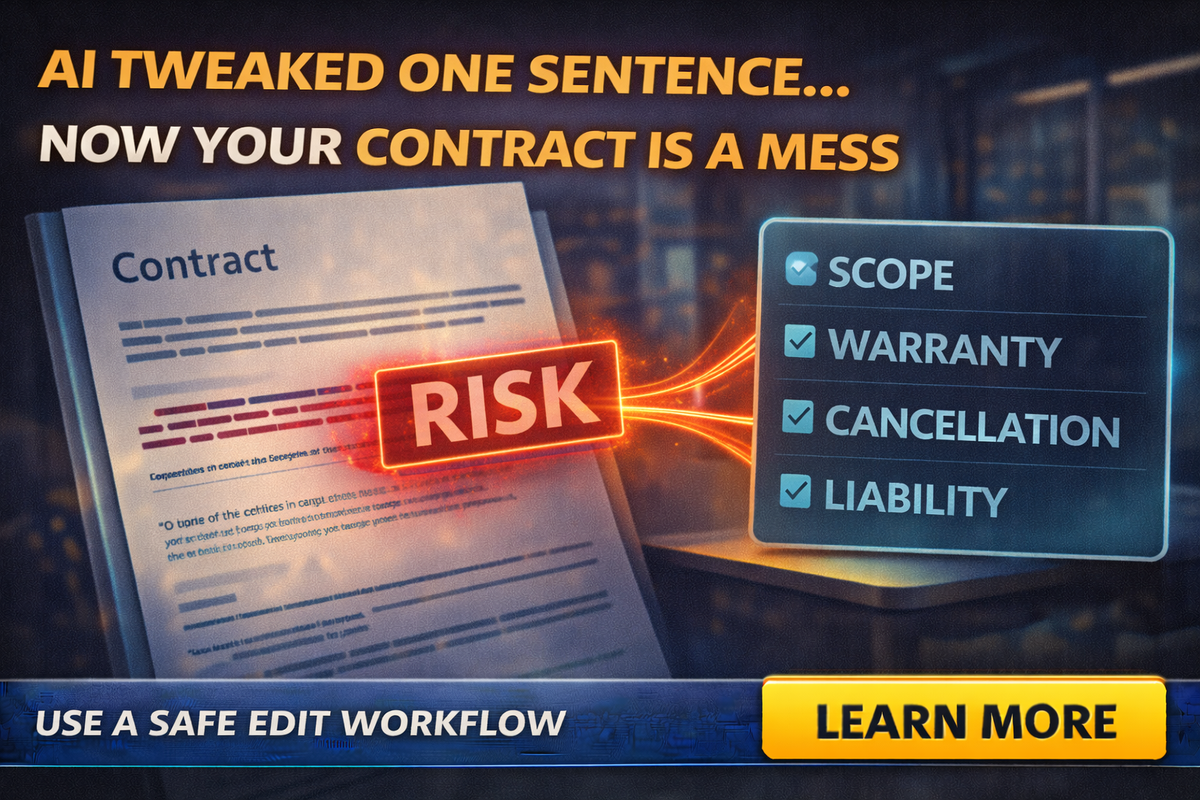
Using AI to edit a contract feels like the easiest win on earth.
You paste in a paragraph and ask:
“Make this sound more professional.”
AI delivers something clean, confident, and polished.
And that’s exactly how people get burned.
Because in contracts, scope-of-work documents, and service agreements, “polished” can quietly become “different.”
Different meaning. Different responsibility. Different risk.
Not because the AI is evil.
Because AI is optimized to rewrite language, not to preserve legal intent.
So let’s talk about the small change that creates big risk, and the safe way to use AI without stepping on a landmine.
AI doesn’t just “fix grammar.” It changes meaning.
Even one word can change your obligations.
Examples that look tiny, but are not:
- “may” becomes “will”
- “estimated” becomes “guaranteed”
- “typically” disappears
- “up to” gets removed
- “unless otherwise agreed” gets softened
- “client is responsible for…” becomes vague
- “not included” becomes “included upon request”
That is how a contract you’ve used for years becomes a dispute magnet overnight.
Where small businesses are most vulnerable
You don’t need to be a law firm to have contract risk.
If you do any of these, you’re exposed:
- inspections
- trades work (roofing, landscaping, demolition, coatings)
- real estate services
- consulting
- marketing services
- managed IT or tech support
- insurance-adjacent services
Anywhere a customer can say:
“That’s not what you said.”
Contracts exist to stop that sentence.
AI can accidentally make that sentence easier to say.
The 5 clauses AI is most likely to “improve” into trouble
If you use AI to rewrite agreements, these are the danger zones. Treat them like a hot stove.
Scope of work
AI loves to make scope sound complete and confident.
Bad outcome:
- It broadens the service.
- It removes exclusions.
- It makes optional items sound included.
If your scope becomes vague, customers fill in the blanks with whatever benefits them.
Warranties and guarantees
AI loves confidence words. Contracts need careful words.
If AI adds or strengthens a guarantee, you may have created a promise you never intended to offer.
Cancellation and refunds
AI can turn your cancellation policy into something softer, more customer-friendly, and more expensive for you.
“Non-refundable deposit” can become “deposit applied to future work,” and now you have a new policy, whether you wanted one or not.
Liability and limitation language
AI can remove important legal phrasing because it sounds “harsh” or “too complex.”
But that “harsh” language is often the part that protects you.
Payment terms and late fees
AI can change timing, soften consequences, or reword late fee language in a way that makes it harder to enforce.
The most common mistake: using AI like a lawyer
Business owners tend to do one of two things:
- Use AI to rewrite the entire agreement.
- Use AI to “clean up” a clause without checking whether meaning changed.
Both are risky.
AI is good at:
- clarity
- formatting
- tone
AI is not reliable at:
- preserving legal intent
- understanding enforceability
- keeping definitions consistent
- maintaining cross-references
That’s not a moral judgment. It’s just the nature of the tool.
The “Safe Contract Editing” workflow that actually works
If you want to use AI in contract-related documents, this is the workflow that keeps you productive and reduces risk.
Step 1: Never paste sensitive client details
Contracts often include names, addresses, pricing, terms, scope details.
Use placeholders:
- Client A
- Address A
- Amount
- Project X
Treat contracts as sensitive documents.
Step 2: Ask AI for a “clarity pass,” not a rewrite
Instead of:
“Rewrite this contract.”
Use:
“Suggest clarity improvements without changing meaning. Keep legal intent the same. Do not add guarantees, promises, or new obligations. Return changes as bullet suggestions, not a rewritten version.”
This shifts AI from “author” to “editor.”
Step 3: Force a change log
AI can make it hard to see what changed.
Prompt:
“List every sentence you changed and explain the difference in meaning, if any.”
If AI can’t explain the difference, that’s a warning sign.
Step 4: Add a “risk scan” prompt
This is your safety net.
Prompt:
“Scan this clause for risk changes. Flag anything that affects scope, warranty, cancellation, liability, payment, deadlines, or responsibilities. If uncertain, say so.”
Step 5: Human review for the five danger zones
If the clause touches scope, warranty, cancellation, liability, or payment, a human needs to read it slowly.
Even better: keep a “blessed” template you rarely change, and only customize a scope-of-work addendum per job.
The “tiny word” examples that cause real disputes
Here are a few quick examples that matter:
“Estimated” vs “Guaranteed”
Estimated = expectation
Guaranteed = promise
“Up to” vs a specific number
“Up to 10 hours” protects you.
“10 hours” locks you in.
“May include” vs “Includes”
“May include” leaves flexibility.
“Includes” becomes part of the deal.
“Client is responsible for access” vs “We will coordinate access”
One puts responsibility on the client.
The other makes it your job, even if they’re unavailable.
“Not responsible for hidden damage” removed
Now you may be on the hook for problems you couldn’t see.
It looks like minor editing. It’s not.
A practical approach for small businesses
If you’re a tiny business, here’s the simplest way to stay safe:
- Keep your core contract template stable.
- Only edit a scope-of-work addendum per job.
- Use AI to improve readability, not obligations.
- Run the “risk scan” every time.
- If you truly need to change legal meaning, have a lawyer review that clause once, then lock it in.
This is how you get the speed without the surprise.
The “red flag” situations where AI should not be editing
If any of these are true, do not let AI rewrite it without professional review:
- you’re in an active dispute
- the contract is high-dollar or high-liability
- it involves insurance claims
- it includes subcontractors
- it includes warranty language or exclusions
- it includes indemnification or limitation clauses
- it’s a legal form for your state or industry
Use AI for formatting and plain-English explanation, but don’t let it drive.
Final Thought
AI can absolutely help you clean up documents, but contracts are not blog posts.
In contracts, small edits can equal big obligations.
The safe move is simple:
- let AI suggest clarity improvements
- force a change log
- run a risk scan
- keep humans in charge of scope, warranties, cancellations, liability, and payment terms
If you want help creating safe AI workflows and templates your team can use without accidentally rewriting your business rules, Managed Nerds can set up guardrails, prompt packs, and training designed for tiny teams who want speed and safety.
Thank you for reading, if you want updates on more small business AI blogs and tip be sure to subscribe.



