How Do I Track Leads From AI Search?
If AI search is sending you leads, you should be able to prove it. Here’s a simple setup using UTMs, call and form tracking, and a lightweight dashboard for small teams.

AI search is changing how people find businesses. That’s the easy part to notice.
The hard part is this:
You might be getting AI-driven leads right now, and you have no proof.
If you can’t track it, you end up guessing:
- “I think the blog helped”
- “I think AI search sent this”
- “I think our website is doing better”
Guessing is expensive, especially for small businesses.
This post shows a simple, realistic tracking setup you can do without becoming a data analyst.
If you can’t track AI leads, you’re guessing… and calling it marketing.
Let’s turn it into proof.
What “AI search leads” actually looks like
Depending on the platform, AI-driven traffic can show up as:
- someone quoting an AI summary of your page
- a customer asking a very specific question (because AI pre-educated them)
- traffic from Google with AI Overviews influence (often still logged as organic)
- traffic from Bing/other engines with AI answers
- traffic from social platforms where AI summaries get shared
- direct visits after someone saw your name mentioned in an AI answer
Your analytics won’t always label it “AI.” So your job is to create trackable paths.
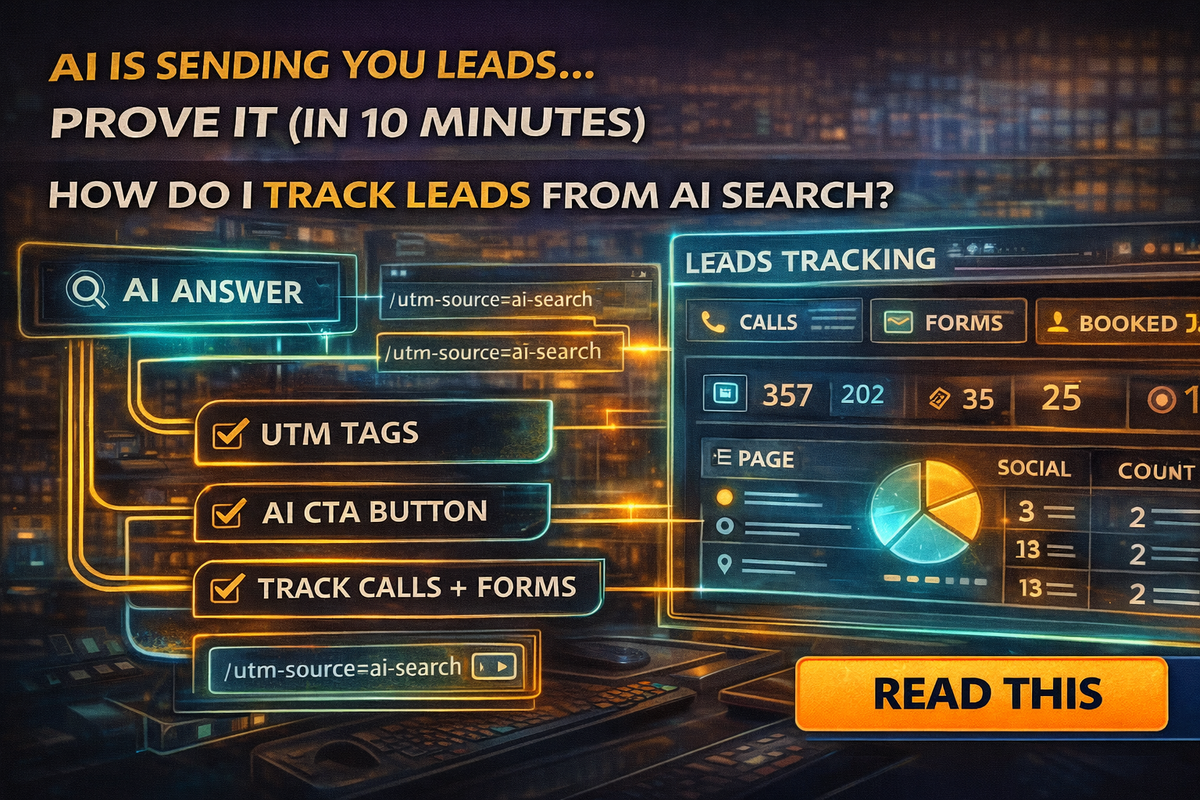
The 10-minute “Prove It” tracking setup
Here’s the simplest approach that works for small service businesses.
Step 1: Pick 1–3 conversion actions
Choose what counts as a lead:
- phone calls (tap-to-call)
- form submissions (quote/contact form)
- booked appointments (calendar link)
- “text us” clicks (if you use it)
If you track everything, you track nothing. Start with the actions that equal money.
Step 2: Add one “AI CTA” on key pages
This is the trick that makes AI leads trackable.
On your service pages, add a button like:
- “Get a Quote”
- “Check Availability”
- “Book a Call”
- “Text Photos for Estimate”
But make it an AI-specific CTA variant that you can tag.
Example:
- “Get a Quote (Fast)”
- “AI Visitor Quote Form”
- “Quick Estimate Request”
We’re not doing this for the label. We’re doing it so you can track the clicks.
Step 3: Use UTM links so AI mentions become measurable
UTMs are just tracking tags you add to links. When someone clicks that link, you can see the source in analytics.
You can use UTMs in:
- your Google Business Profile website link
- buttons on your website
- email signatures
- social posts
- “Ask AI” prompts you provide on your site
A simple UTM example structure:
- utm_source=ai
- utm_medium=referral
- utm_campaign=ai_visibility
You can also split:
- utm_source=chatgpt
- utm_source=google_ai
- utm_source=bing_ai
Even if traffic doesn’t come directly from those, you’ll start building measurable lanes.
Step 4: Track phone calls the right way
For service businesses, calls are the lead.
Two basic approaches:
Basic option
Track “click-to-call” events on your website.
That shows how many people tapped your phone number from a mobile device.
Stronger option
Use call tracking numbers properly:
- one number for your website
- one number for ads (optional)
- keep your main number consistent in directories and your Google profile
If you ever use call tracking, be careful with NAP consistency. Your “public number” should remain consistent across key listings so local SEO doesn’t get messy.
Step 5: Track form submissions as an event
Your website form is your other big lead source.
Make sure submissions are tracked, not just page visits.
A simple rule:
If you can’t see “form_submit” in your analytics, you don’t know if the site is working.
Step 6: Make one simple dashboard view
Keep it stupid simple.
You want to answer:
- How many leads did we get?
- From where?
- Which pages drove them?
A small business dashboard can be:
- a simple analytics report
- a spreadsheet updated weekly
- a basic Looker Studio dashboard if you want pretty visuals
Start with:
- Leads by source/medium
- Top landing pages
- Calls vs forms
- Conversion rate by page
How to tell if AI is influencing leads
Here are the patterns you’ll notice:
More “educated” leads
People ask fewer basic questions, more specific questions.
More long-tail phrasing
Leads use question-like wording:
- “Do you offer this type of service?”
- “What’s included?”
- “How long does it take?”
Increased direct traffic
People type your URL or search your brand name after seeing it somewhere.
That’s why UTMs and AI-specific CTAs matter. They create measurable signals inside the noise.
The “AI attribution” mistake to avoid
Don’t over-credit one channel.
AI search often influences the journey, but the last click might be:
- direct
- organic search
- Google Business Profile
- a referral
- a saved bookmark
That’s normal.
Your goal is not perfect attribution. Your goal is confidence:
- “This page is converting”
- “This CTA gets clicks”
- “These FAQs reduce friction”
- “This content drives calls”
The quick AI lead tracking checklist
If you want the fast version:
- Track 1–3 real conversions (calls, forms, bookings)
- Add an AI-specific CTA on key pages
- Use UTMs on links you control
- Track click-to-call
- Track form submissions
- Build a simple dashboard view
- Review weekly, not yearly
Final Thought
AI search is reshaping visibility, but marketing without tracking is just vibes.
If you want to win in the AI era, you need proof:
- which pages produce leads
- which CTAs get clicks
- whether AI visibility changes are paying off
If you want help setting up tracking, UTMs, call tracking, and a simple dashboard so you can prove what’s working, Managed Nerds can build the measurement system and tie it back to your SEO and AI strategy.