What AI Tasks Should I Never Automate in a Small Business?
AI can make you faster, but it can also make promises, change meaning, and escalate customers. Here are the tasks you should never automate, plus what to do instead.

It can also quietly create a mess you have to clean up in public.
The reason is simple: AI is great at language, structure, and speed. But some business tasks are high-risk because a single wrong word, wrong number, or wrong tone becomes a promise, a policy, or an argument.
So if you’ve been thinking, “Can I just automate this with AI?” here’s the clean answer:
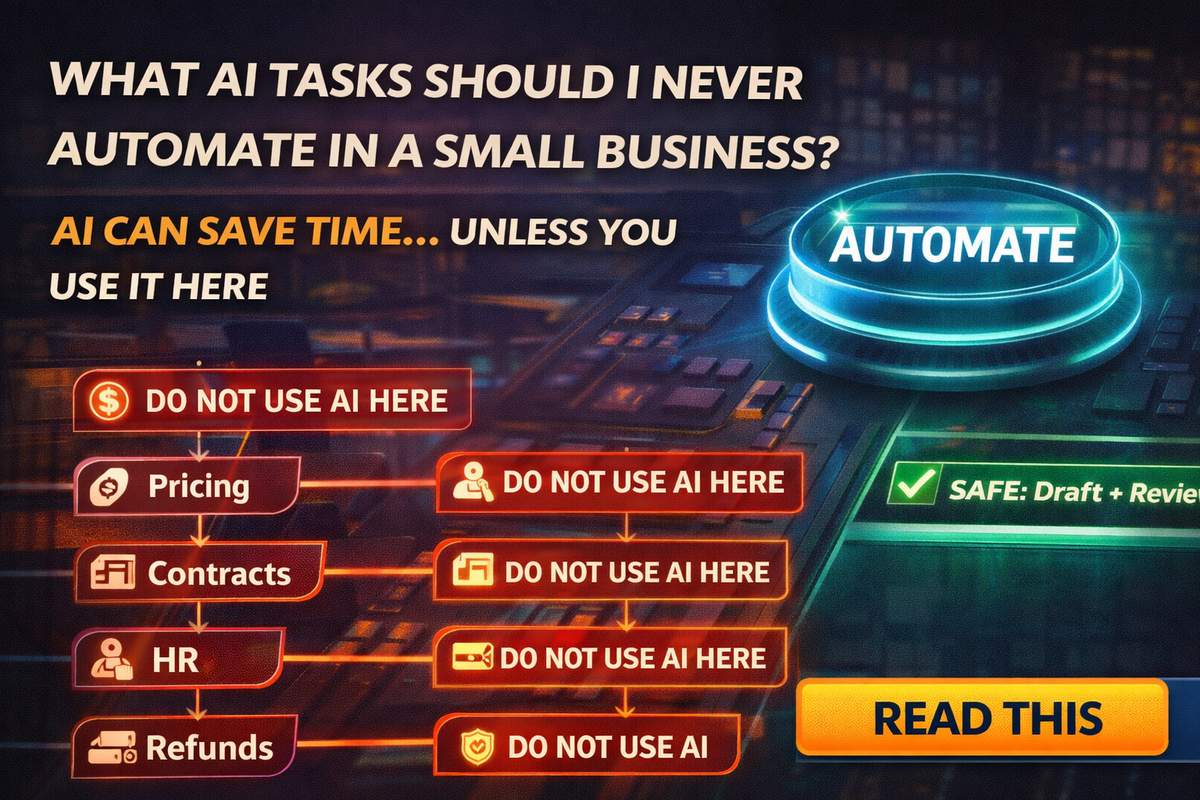
AI can save time… unless you use it in the places where mistakes cost trust, money, or legal pain.
Let’s talk about the “never automate” list for small service businesses, and what to do instead.
Refunds, guarantees, and “make it right” promises
This is the fastest way to accidentally give away money.
AI loves to sound helpful, and “helpful” often turns into:
- “We’ll refund you”
- “We guarantee results”
- “We’ll fix it no matter what”
- “Full credit”
Even if you didn’t mean it, the customer will treat that message like a contract.
Safer way
Use AI to draft a calm response, but you approve the final terms. Always.
A simple rule:
AI can write empathy. Humans approve refunds and guarantees.
Pricing math and margins
AI can format pricing. It should not do the math.
This includes:
- adding fees
- calculating totals
- applying discounts
- estimating labor hours
- calculating taxes
- comparing packages
AI can confidently invent numbers, forget line items, or “round” in a way that kills profit.
Safer way
Use a spreadsheet or quoting tool as the truth, then have AI turn your final numbers into a clean customer-facing quote.
The safe workflow:
Numbers in spreadsheet, words in AI.
Contract edits and policy rewrites
AI can make your contract sound smoother. It can also change meaning.
Tiny edits create big risk:
- “may” becomes “will”
- “estimated” becomes “guaranteed”
- exclusions get softened
- responsibilities get blurred
That is how disputes are born.
Safer way
Use AI for a clarity pass, not a rewrite.
Have AI:
- suggest plain-English improvements
- produce a change log
- flag risk zones (scope, warranty, cancellation, liability)
But keep the “legal intent” language locked in your official templates.
HR messages and employee documentation
Small businesses get burned here because they want to “sound professional.”
AI can:
- introduce biased language
- produce overly harsh wording
- create documentation that’s inconsistent
- write messages that sound like a legal admission
This includes:
- rejection emails
- performance notes
- termination messages
- disciplinary documentation
Safer way
AI can help structure a message, but HR communications should be reviewed by the owner or a qualified advisor, and written with consistency.
A simple rule:
AI drafts, humans sign.
Customer disputes and angry messages
When a customer is heated, tone matters more than speed.
AI can mirror the customer’s energy and sound cold, defensive, or dismissive, even with perfect grammar. That escalates situations that could have been resolved quickly.
Safer way
Use a de-escalation template, and rewrite the first and last sentence yourself.
If you want a “safe AI” prompt:
“Draft a calm reply that acknowledges frustration, states facts briefly, offers two options, and ends with one clear question. No sarcasm, no defensiveness.”
Anything involving access, logins, or security approvals
This is where “automation” can become a breach.
Do not let AI:
- handle password resets
- approve new app connections
- decide which permissions are okay
- manage browser extensions
- “fix” security settings based on a guess
AI tools and extensions are also being impersonated by scammers, so security-related workflows should be deliberate.
Safer way
Create an “approved tools” list and an “approved access” process:
- only install known extensions
- only approve known integrations
- MFA everywhere
- quarterly revoke unused access
Compliance claims and “official” statements
Even if you’re not in a heavily regulated industry, you can still make risky claims:
- “We’re fully compliant”
- “This meets legal requirements”
- “This is best practice”
- “This guarantees protection”
AI can generate authoritative-sounding language that may not be true for your business.
Safer way
AI can help you write a draft, but compliance claims must be verified against your actual policies and vendor documentation. If you’re unsure, don’t claim it.
So what should AI automate?
Here’s the safe lane where AI is a huge win:
Drafting and formatting
- first-draft emails
- quotes and proposals (with your numbers)
- meeting summaries (with your verification)
- content outlines
- FAQs and service descriptions
- internal checklists and SOP drafts
Summaries and extraction
- pull action items from threads
- summarize a document you provide
- list questions to ask a client
- create a follow-up sequence
Consistency helpers
- rewrite in your brand voice
- shorten for SMS
- turn notes into a clean template
- generate “two options” next-step messages
The “Four Checks” rule before anything goes out
If you want one universal guardrail that works across every business, use this:
Names
Are client names, addresses, and project details correct?
Numbers
Are pricing, dates, and quantities correct, and pulled from your real source?
Sources
Can you point to where the facts came from?
Scope
Did the AI accidentally expand what you’re promising?
If you check those four, you eliminate most expensive mistakes.
A one-page policy your team will follow
If you have employees, keep it simple:
Allowed
Drafting, rewriting, summarizing, templates, and content.
Allowed with review
Quotes, proposals, review replies, scheduling confirmations.
Not allowed
Refund decisions, pricing calculations, contract rewrites, HR documentation, security approvals, angry disputes.
If unsure
Ask first.
Final Thought
AI can be your fastest helper, but it should not be your decision-maker in high-risk areas.
If you want the speed without the blowback, keep AI in the safe lane:
- drafts
- formatting
- summaries
- consistency
And keep humans in charge of:
- money decisions
- promises
- legal meaning
- HR
- security
- disputes
If you want help building an “approved AI workflow” for your business, including prompt packs, templates, and staff training that prevents expensive mistakes, Managed Nerds can set it up in a simple, small-business-friendly way.