Can AI Help Me Create Better Job Ads Without Attracting the Wrong Applicants?
If your job ads keep attracting the wrong applicants, it’s not bad luck. It’s vague messaging. Here’s how to use AI to write job posts that pull better-fit people.

If you’re a small business owner, hiring can feel like a bad joke.
You post a job and get:
- people who don’t meet the basics
- people who ghost after scheduling
- people who want a pay rate you never listed
- people who clearly didn’t read the post
Then you think, “Maybe nobody wants to work anymore,” when the real problem is usually simpler:
Your job ad is too vague, so it attracts everyone… including the wrong people.
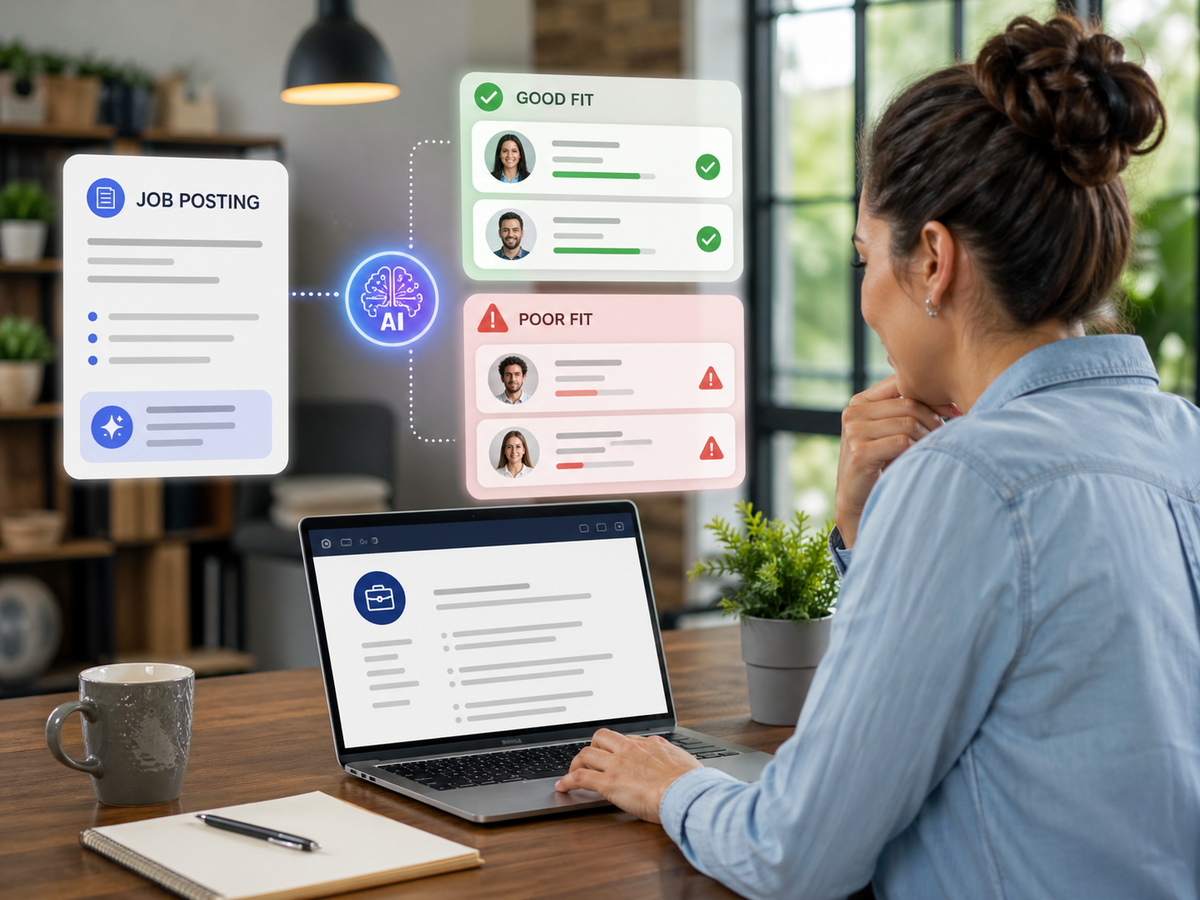
AI can help a lot here, but not by “writing fluff.” It helps by making your expectations clear, filtering applicants earlier, and saving you from repeating yourself 30 times.
Let’s do it the small-business way.
The tabloid truth
If your job post attracts the wrong applicants, it’s because your post is inviting them.
Not on purpose. But the ad is leaving out what good applicants need, and what bad applicants need to be scared off by.
AI helps you fix both.
What “better job ads” really means
A better job ad does three things:
- It tells good candidates, “This is for you.”
- It tells wrong candidates, “Don’t waste your time.”
- It gives you an easy way to screen before interviews.
Most job ads only do the first one, and they do it with generic phrases like:
- “Must be a team player”
- “Fast-paced environment”
- “Competitive pay”
Those are invisible words. They don’t filter anyone.
The 5 ingredients every small-business job ad needs
If you include these, you’ll immediately get better applicants.
Clear outcome of the role
What does success look like in 30–60 days?
Examples:
- “Show up on time, complete jobs safely, communicate clearly with customers.”
- “Manage inbound calls, book appointments correctly, keep the schedule accurate.”
The non-negotiables
These are the deal-breakers. List them.
Examples:
- “Valid driver’s license and reliable transportation.”
- “Comfortable working outdoors in heat/cold.”
- “Can lift 50 lbs.”
- “Can pass a background check.”
- “Can work occasional Saturdays.”
Good candidates appreciate clarity. Bad candidates self-select out.
Pay range and schedule
If you hide this, you get low-quality volume and constant frustration.
Even if it’s a range, include it.
The “day in the life”
A short bullet list of what they actually do.
Not responsibilities like a corporate HR manual. Real tasks.
A short screening step
This is the biggest win.
Add 3–5 screening questions and require answers.
How to use AI to write a job ad that filters better
Here’s the process that works.
Step 1: Start with your real needs, not a title
Tell AI:
- what problem you’re solving
- what tasks must get done
- what you won’t tolerate
- what schedule and pay looks like
Step 2: Use this “filter-first” prompt
Copy/paste this into AI and fill in the brackets:
Prompt: Job Ad Builder
“Write a job ad for a small business hiring a [role].
Audience: reliable, practical applicants.
Tone: clear, direct, friendly, not corporate.
Include:
- 2-sentence overview of the role
- Pay range and schedule
- Bullet list: what you’ll do each day
- Bullet list: non-negotiables
- Bullet list: what success looks like in 30 days
- 5 screening questions at the end
Goal: attract good-fit applicants and discourage poor-fit applicants.
Avoid fluff phrases.”
This produces a job post that reads like a real business, not a generic posting.
The screening questions that reduce ghosting and bad fits
AI can help you write these, but here are strong examples.
Reliability questions
- “What is your availability, and can you reliably work the posted schedule?”
- “What’s your commute time to [city/area]?”
- “Do you have reliable transportation every day?”
Skill-fit questions
- “What experience do you have with [tool/task]?”
- “What kind of work environment do you do best in?”
Accountability questions
- “Tell us about a time you solved a problem on a job without supervision.”
- “What does ‘good customer service’ mean to you in a service business?”
Disqualifier questions
- “Can you pass a background check if required?”
- “Can you lift [X] lbs and work outdoors?”
When candidates answer these, you instantly see who’s serious.
The “wrong applicant magnets” to remove from your ads
These phrases invite volume, not quality:
- “Competitive pay” (say the range)
- “Fast-paced” (say what fast means)
- “Must be a hard worker” (say the schedule and expectations)
- “Looking for rockstars” (cringe, and vague)
- “Growth opportunity” (say what growth looks like)
AI will happily write these. Don’t let it.
Add a small “values” section that attracts better humans
This is a secret weapon for small businesses.
A short section like:
- “We show up on time.”
- “We don’t trash customers.”
- “We fix mistakes instead of making excuses.”
- “We communicate clearly.”
Good candidates want to work with adults. This signals you’re serious.
The easiest way to improve hiring with AI: consistency
Most small businesses hire in a rush.
AI helps you create consistent language and processes so you don’t reinvent the wheel every time.
Build:
- one job ad template per role
- one set of screening questions
- one interview scorecard (even simple)
Then you reuse it, and hiring becomes less emotional and more measurable.
Wrap-up
Yes, AI can help you write better job ads.
But the win isn’t “AI wrote my post.”
The win is:
- clearer expectations
- fewer wrong applicants
- less ghosting
- faster filtering
- better hires
If you want help building hiring templates, screening questions, and a repeatable SOP that turns hiring into a system, Managed Nerds can help you set up the process and train your team to use AI responsibly without sounding corporate.