How Do I Use AI to Create Standard Operating Procedures (SOPs) My Team Will Actually Follow?
If your business runs on “just ask me,” you’re one sick day away from chaos. Here’s how to use AI to turn your process into SOPs your team will follow.

If you’re a small business owner, you’ve probably said some version of this:
“Just ask me if you’re not sure.”
It feels helpful. It keeps things moving.
It also means your business runs on your memory.
And that’s a dangerous place to live.
Because the moment you’re busy, sick, out on a job, or just mentally tapped out, your team starts guessing. Guessing creates inconsistency. Inconsistency creates mistakes. Mistakes create refunds, rework, and bad reviews.
The good news: AI is excellent at one thing that small businesses desperately need.
Turning messy “how we do it” knowledge into clean, repeatable procedures.
Let’s do it in a way your team will actually follow.
The tabloid truth
If your team needs you for everything, you don’t have a process. You have a bottleneck.
SOPs are how you remove the bottleneck.
AI makes SOP creation fast, but only if you use a simple method.
What makes an SOP “followable”
Most SOPs fail because they’re:
- too long
- too vague
- too formal
- not designed for real work
A followable SOP is:
- short
- step-based
- decision-friendly
- built around real scenarios
Think checklist, not novel.
The SOP types every small business should build first
Start with procedures that reduce chaos immediately:
- Lead intake: what happens when a call/form/DM comes in
- Quote process: what information you collect, how you calculate, how you send
- Scheduling: confirmation steps, reminders, reschedules
- Job start: what to bring, what to check, customer expectations
- Job closeout: photos, notes, payment, follow-up
- Invoice + past-due process: when to remind, how to escalate
- Customer complaint handling: calm response templates and options
- Tool access: who can install extensions, connect apps, approve permissions
Now let’s use AI to build them quickly.
The 7-step “SOP Builder” method using AI
Step 1: Pick ONE process, not five
Do not try to SOP your whole business in a day.
Pick the process that causes the most:
- mistakes
- delays
- repeated questions
- stress
One SOP at a time wins.
Step 2: Record the process once
Open your phone and explain it like you’re training a new hire.
Answer:
- What triggers the process?
- What are the steps you take?
- What are the common mistakes?
- What decisions happen along the way?
- What “done” looks like?
Two to five minutes is enough.
Step 3: Give AI the raw material
Paste your notes or transcript into AI with this prompt:
Prompt: SOP Draft
“Turn the notes below into a short SOP that a new employee can follow.
Format:
- Purpose (1 sentence)
- When to use this SOP
- Steps (numbered, 6–12 steps max)
- Decision points (If/Then)
- Common mistakes to avoid
- Definition of done
Keep it under 1 page and use simple language.”
AI will give you a clean first draft.
Step 4: Force it to simplify
Your first SOP draft will usually be too wordy.
Run this prompt next:
Prompt: SOP Simplify
“Rewrite this SOP to be skimmable in under 60 seconds.
Use short steps, bold key actions, and bullet decision points.
Remove fluff.”
This is how you get “followable,” not “formal.”
Step 5: Add real-world scenarios
SOPs become usable when they cover the weird edge cases your team actually sees.
Prompt:
Prompt: Scenarios
“Add 3 quick ‘common scenarios’ with the correct action.
Examples: customer reschedules, missing info, urgent request.
Keep each scenario under 3 lines.”
Now your SOP reads like it was written by someone who has done the job.
Step 6: Add a quick checklist version
Many employees won’t read a full SOP mid-task. They’ll use a checklist.
Prompt:
Prompt: Checklist
“Create a one-page checklist version of this SOP that someone can follow without reading the full document.”
Now you have:
- the SOP (training)
- the checklist (execution)
Step 7: Test it with one person
Hand it to someone and ask:
- “Can you follow this without asking me questions?”
- “What step is unclear?”
- “What’s missing?”
Update once. Done.
That’s how SOPs start working.
The “SOP style rules” that prevent failure
If you want SOPs to survive in a small business, keep these rules:
- Keep it to one page
- Use numbered steps
- Add If/Then decisions
- Include definition of done
- Make a checklist version
- Store it where staff actually looks (shared folder, binder, QR code link)
If it’s buried in a folder nobody opens, it doesn’t exist.
SOP examples small businesses should steal
Here are two mini-examples of what “followable” looks like.
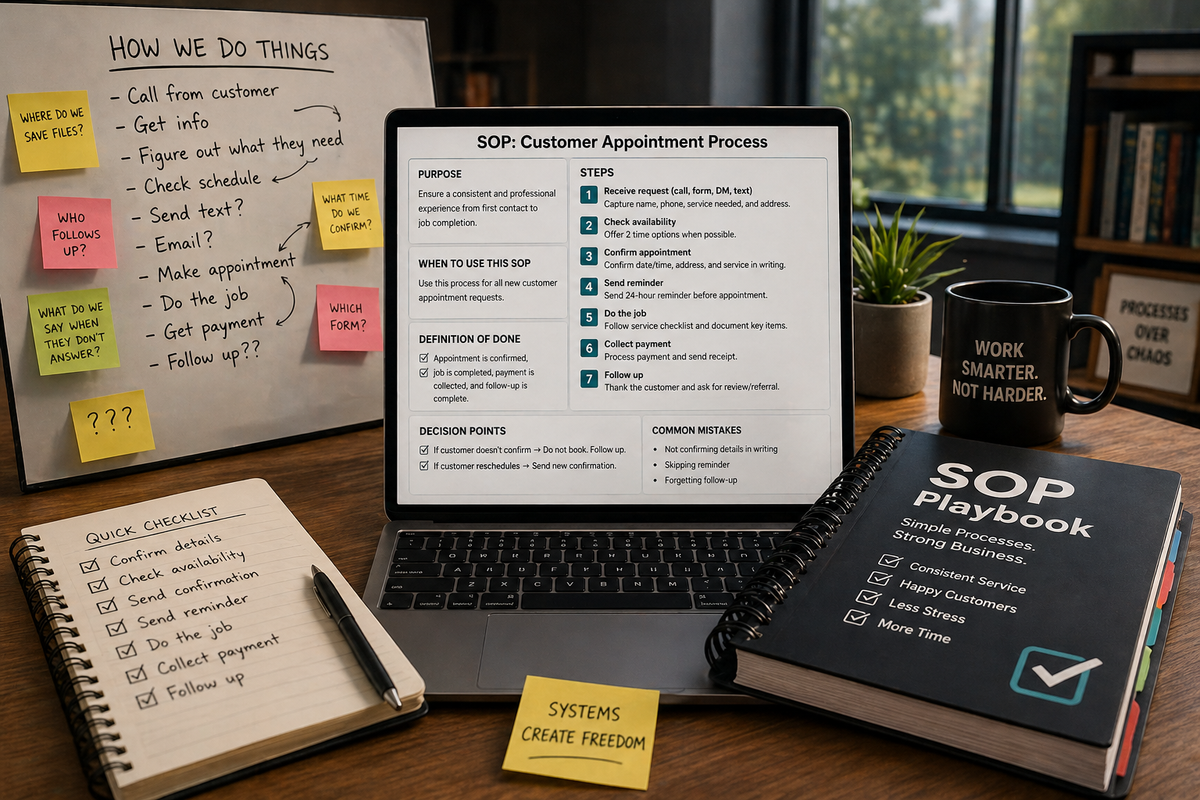
Example: Scheduling SOP
Trigger: Customer requests appointment
Steps:
- Confirm service needed and address
- Offer two time windows
- Confirm date/time/address/service in writing
- Send reminder 24 hours before
If/Then:
- If customer doesn’t confirm, do not book
- If reschedule, send new confirmation
Done: Appointment is confirmed and visible on the team calendar
Example: Quote SOP
Trigger: Lead requests quote
Steps:
- Collect required info (photos, address, timeline)
- Build quote using pricing sheet
- Send quote with scope + exclusions
- Schedule follow-up 24–48 hours
Done: Quote sent and follow-up task created
Where Managed Nerds fits
SOPs are not just “organization.” They are security and consistency.
When procedures are clear:
- fewer mistakes happen
- fewer sensitive details get pasted into random tools
- fewer approvals get skipped
- less tool sprawl occurs
If you want help building an SOP playbook, plus an approved AI prompt pack your team can use safely, Managed Nerds can set up the system and train your staff so it sticks.