Threads SEO: The Conversation Platform Small Businesses Shouldn’t Ignore
Threads is not just random chatter. For small businesses, helpful replies, clear topics, and a strong profile can support visibility, trust, and leads.

Threads is easy to misunderstand.
At first glance, it can feel like just another place to post quick thoughts, react to trending conversations, or cross-post from Instagram.
But Threads is becoming more than that.
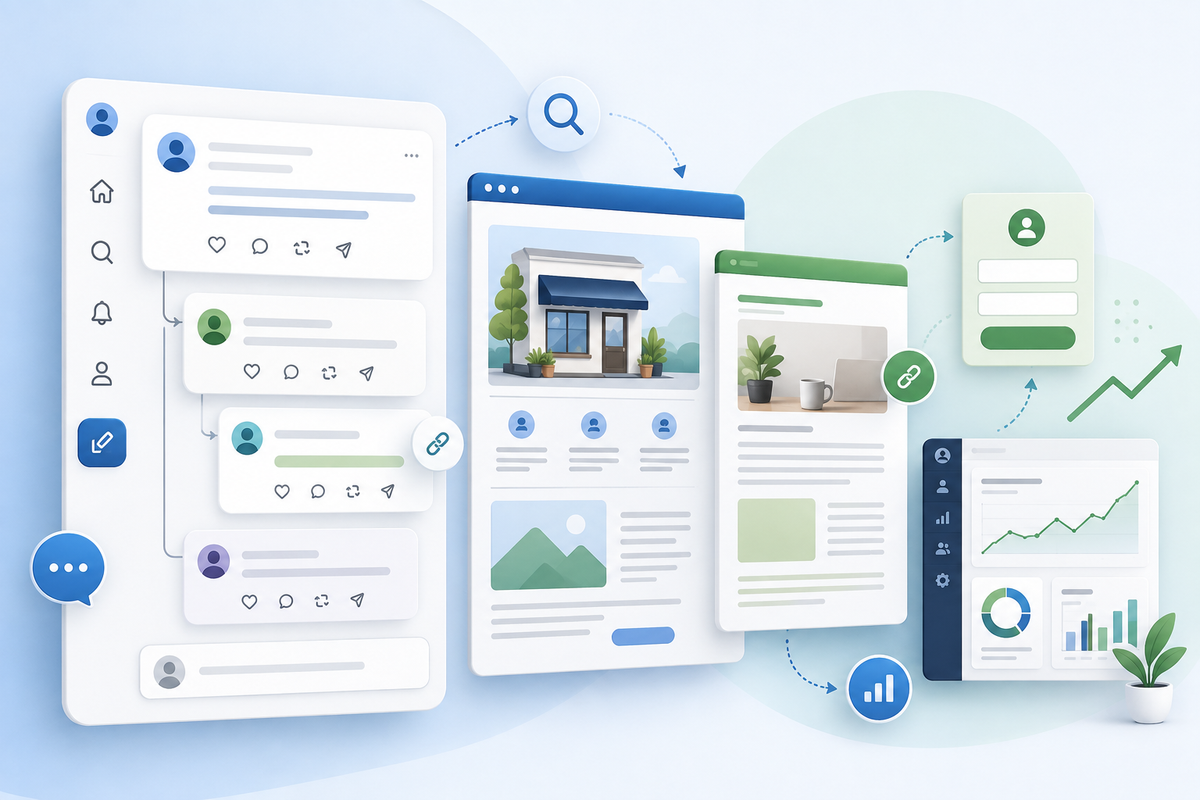
It is a public conversation platform where posts, replies, topics, links, and profile clarity can help people discover your business.
And for small businesses, that matters.
You do not need to become a full-time “thought leader.”
You do not need to post hot takes all day.
You do not need to chase every trend.
But you should understand how Threads can support visibility, trust, and traffic when used with a real strategy.
Why Threads matters now
Meta announced in June 2026 that Threads reached 500 million monthly active users, describing the milestone as proof that people want a public space built around conversation. Meta also announced new community and personalization features as part of that update.
That growth matters because Threads is becoming a place where people discuss:
- business questions
- local recommendations
- marketing ideas
- customer experiences
- industry opinions
- tech tools
- social media trends
- creator and small business challenges
For small businesses, this creates a simple opportunity:
Show up in the conversations your customers and referral partners already care about.
What is Threads SEO?
Threads SEO is not the same as Google SEO.
You are not optimizing one page to rank for one keyword.
You are making your profile, posts, replies, and topics easier to understand and discover.
Sprout Social’s 2026 Threads SEO guidance explains that every post, reply, share, or repost can signal who you are and why users should follow you. It also recommends strengthening profile clarity and using blog content as a source for multi-part Threads.
In plain English:
Threads SEO is about becoming easier to find through useful conversations.
Why Threads is different from Instagram and LinkedIn
Instagram is visual.
LinkedIn is professional.
Threads is conversational.
That means polished graphics are not the main thing.
The main thing is your point of view.
Threads works best when you can:
- answer questions
- share quick tips
- join relevant conversations
- explain what you think
- respond like a real person
- link to deeper resources when helpful
For a small business owner, this can feel more natural than producing videos every day.
The profile still matters
Before someone follows, clicks, or replies, they may check your profile.
Your profile should make it clear:
- who you are
- what you do
- who you help
- where you serve
- what people can expect from your posts
- where they can learn more
A weak profile creates confusion.
A strong profile makes the next step obvious.
How to optimize your Threads profile
Use this simple structure.
Display name
Keep your name or business name recognizable.
Example:
Managed Nerds
or
Managed Nerds | Small Business SEO + AI
Bio
Use the bio to explain your value quickly.
Example:
“Practical SEO, AI, and tech tips for small businesses in Evans, Augusta, and the CSRA. Helping owners turn online visibility into real leads.”
That tells people what to expect.
Link
Threads supports profile links, and Meta has updated profile link features to help users connect with communities and off-platform resources.
Use your link intentionally.
Good link options:
- service page
- latest blog
- lead magnet
- booking page
- “start here” page
Do not send everyone to a confusing homepage if a better next step exists.
Replies may matter more than posts
This is the part many businesses miss.
On Threads, replies can be just as valuable as original posts.
A helpful reply under the right conversation can introduce you to people who would never see your standalone post.
Examples of useful replies:
- “For small businesses, I’d check Google Business Profile first before spending more on ads.”
- “If the lead quality is bad, the problem may be your form or keyword targeting, not the platform.”
- “AI can help with missed calls, but I’d still keep a human reviewing the summaries.”
- “If your reviews are not showing up, check delays, duplicates, and profile issues before assuming the customer did not post.”
That kind of reply builds authority without sounding like an ad.
The best Threads topics for small businesses
Pick recurring topics so the platform and people understand what you talk about.
For Managed Nerds-style content, good recurring topics might include:
- small business SEO
- Google Business Profile tips
- AI tools for small businesses
- cybersecurity basics
- website conversion
- social search
- ad tracking
- local listings
- lead quality
- content repurposing
Do not jump randomly from SEO to lunch photos to sports takes to AI policy to memes unless that is part of your brand.
Consistency helps people understand why they should follow you.
How to turn a blog into a Thread
Threads is great for repurposing blogs.
Take one blog and break it into a short multi-post thread.
Example blog:
“Why Your Leads Are Low Quality: 7 Filters That Fix It Fast”
Thread structure:
Post 1:
“Getting leads but most of them are junk? You may not need more traffic. You may need better filters.”
Post 2:
“Filter #1: service area. If you only serve certain cities or counties, your form and ads should make that obvious.”
Post 3:
“Filter #2: keyword intent. In Google Ads, broad terms can attract DIY searches, job seekers, or people outside your service.”
Post 4:
“Filter #3: lead quality tracking. If you treat spam as a conversion, your marketing reports will lie.”
Post 5:
“Bottom line: lead volume matters, but lead quality matters more. Fix the filters before raising the budget.”
Then link to the full blog if it adds value.
That is content repurposing without sounding robotic.
How to use Threads for customer questions
Threads can help you discover what your audience actually cares about.
Watch for repeated questions like:
- “Is SEO still worth it?”
- “Are Google Ads too expensive now?”
- “Should I use AI for customer service?”
- “Why are my reviews missing?”
- “What should I post on social?”
- “Do small businesses need YouTube?”
Every repeated question can become:
- a reply
- a standalone post
- a blog
- an FAQ
- a video
- a lead magnet
Customer questions are content fuel.
How to use pinned or evergreen posts
If Threads allows you to feature or surface key content in your profile experience, use evergreen posts strategically.
Good evergreen posts include:
- “Start here if you’re a small business trying to improve SEO”
- “Our best guides on Google Business Profile”
- “5 marketing leaks we see in small businesses”
- “What Managed Nerds helps with”
- “AI tools we think small businesses should use carefully”
These posts help new visitors understand your value quickly.
How to link without being spammy
Links can be useful, but every post should not be “read my blog.”
Use links when:
- someone asks for more detail
- the blog directly answers the question
- the resource is genuinely useful
- the post already gives value on its own
Bad:
“Need SEO? Click here.”
Better:
“Before spending more on ads, check your landing page, form, and tracking. I wrote a breakdown of the 7 most common lead quality filters here.”
Give the value first.
Then link.
How to track Threads traffic
Use UTMs when linking to blogs, service pages, or lead magnets.
Example:
?utm_source=threads&utm_medium=social&utm_campaign=lead_quality_blog&utm_content=reply
This helps you see whether Threads is driving:
- blog visits
- service page visits
- lead magnet downloads
- consultation requests
- booked calls
Threads may not always be a hard-sales channel.
It may be a warm curiosity channel.
Track it accordingly.
What small businesses should post on Threads
Here are simple post types that work well.
Quick tip
“Small business SEO tip: if your service area is unclear, customers may not know if they should call you.”
Hot take, but useful
“Most small businesses do not need more content. They need to repurpose the content they already have.”
Mini checklist
“Before running ads, check: landing page, form length, tracking, offer, and follow-up.”
Customer question
“What is one thing about SEO or AI that feels confusing right now?”
Behind the scenes
“We’re turning one blog into a Reel, GBP post, email, and FAQ today. That’s the content system most small businesses need.”
Soft offer
“If your website gets traffic but not leads, start by checking your form, thank-you page, and tracking.”
What not to do
Avoid:
- posting only links
- copying the same exact post from every platform
- being overly salesy in replies
- arguing for attention
- jumping into conversations with no value
- using vague bios
- never linking to deeper resources
- posting random topics that confuse your audience
Threads rewards conversation.
So act like you are joining a conversation, not interrupting one.
A simple Threads workflow
Try this weekly:
Monday
Post one practical tip.
Tuesday
Reply to 3 relevant conversations.
Wednesday
Turn one blog section into a short thread.
Thursday
Ask one question your audience can answer.
Friday
Share one soft CTA or useful resource.
That is manageable.
You do not need to live on the platform.
How Threads supports small business SEO
Threads can support SEO indirectly by:
- revealing customer questions
- sending traffic to blogs
- giving you content ideas
- building authority around recurring topics
- strengthening personal and business trust
- creating social proof around your expertise
It is not a replacement for your website.
It is a conversation layer that can feed your website strategy.
The bottom line
Threads is not just another place to dump content.
It is a conversation platform.
For small businesses, the opportunity is to show up with clear topics, helpful replies, useful links, and a profile that makes your value obvious.
Use Threads to answer questions, test ideas, repurpose blogs, and drive curious people back to your website.
Need help turning blogs, social posts, and customer questions into a repeatable small business SEO system? Managed Nerds offers practical SEO, AI, and marketing support to help you choose the right platforms, repurpose content, and connect conversations back to real leads.
Thank you for reading. If you’d like more small business SEO tips, subscribe for updates.