Your Phone Shows Ads After Every Call? It Could Be More Than Just an Annoyance.
Researchers uncovered Android apps displaying ads after phone calls by abusing special permissions. Learn why this matters for small businesses and how to better protect your devices.

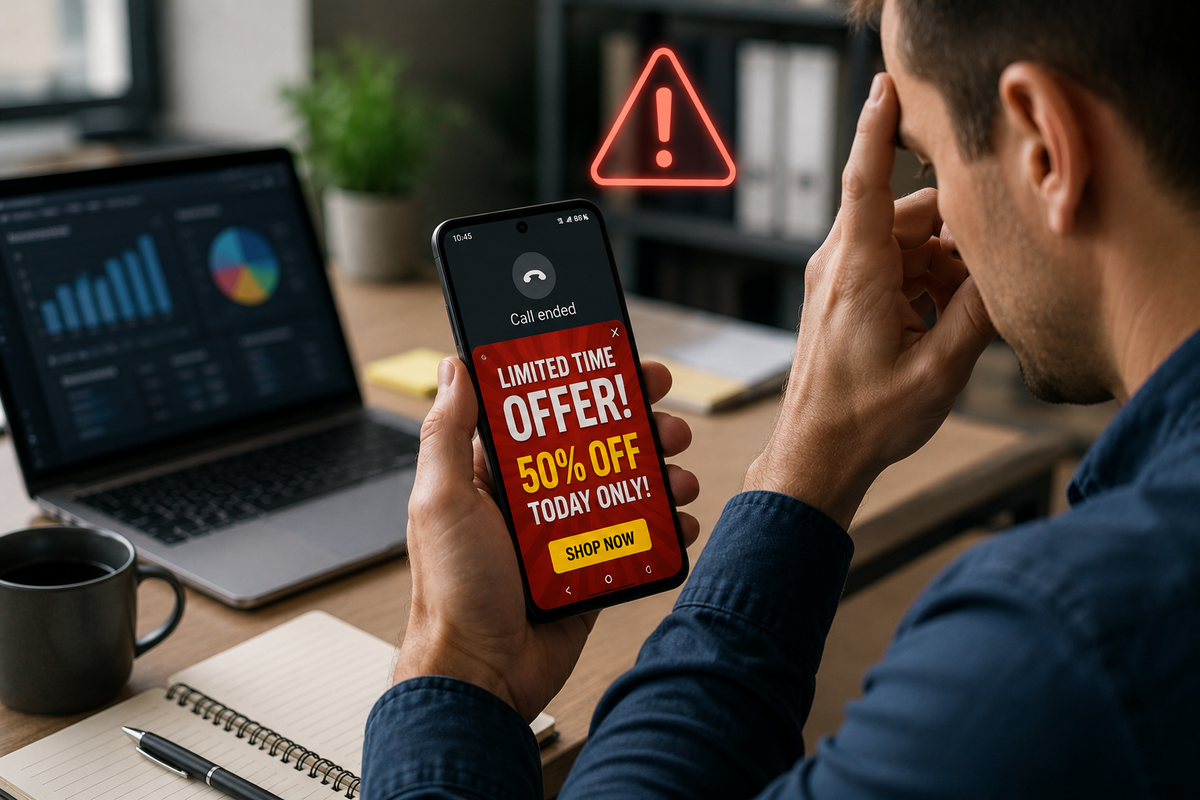
Most people expect to see ads while browsing websites or using free apps.
But what if ads started appearing every time you hung up a phone call?
Security researchers have uncovered a growing Android scam where seemingly harmless apps abuse special permissions to display intrusive advertisements immediately after calls end. While the goal is advertising fraud rather than stealing passwords, the tactics used should concern both individuals and small businesses.
What's Happening?
According to researchers, some Android apps disguised as everyday utilities—such as alarm clocks, calendars, and messaging apps—are requesting a special permission that allows them to appear on top of other applications.
Once granted, these apps wait until you finish a phone call before displaying full-screen advertisements. Some even hide themselves from the recent apps list, making them harder to identify and uninstall.
Many users initially assume:
- Their phone has been hacked
- Their calling app is malfunctioning
- Android itself is showing the ads
In reality, the culprit is often a seemingly innocent app that was downloaded from an official app store.
Why This Matters for Small Businesses
At first glance, this may sound like little more than an inconvenience.
But it highlights a much bigger lesson.
Businesses rely on smartphones every day for:
- Customer communication
- Scheduling appointments
- Banking
- Multi-factor authentication (MFA)
- Business email
- CRM applications
- Field work and job-site documentation
If employees install apps that request unnecessary permissions, those permissions could eventually be abused.
Today's intrusive ads could become tomorrow's data collection, credential theft, or phishing attempt.
The Bigger Concern: App Permissions
One of the biggest cybersecurity mistakes people make is approving permissions without understanding why an app needs them.
In this case, researchers found that malicious apps persuaded users to enable the Android "Appear on top" permission by claiming it was necessary for features like alarms or reminders to work correctly. Once enabled, the apps displayed ads outside their normal function.
The lesson is simple:
If an app requests permissions that don't seem related to what it does, pause before approving them.
Could This Affect Your Business?
Imagine an employee downloads a seemingly harmless utility app onto a phone used for business.
Now that device:
- Interrupts calls with intrusive ads
- May encourage installation of additional questionable apps
- Creates confusion about whether the phone is compromised
- Reduces productivity
- Increases the likelihood of clicking on misleading advertisements
While this campaign focused on ad fraud, it demonstrates how easily attackers can exploit user trust.
Employee Training Is Still One of the Best Defenses
Technology alone can't stop every threat.
Employees should understand:
- Why app permissions matter
- How to recognize suspicious permission requests
- Why only trusted business apps should be installed
- How to report unusual phone behavior
- Why updates and security reviews are important
Many cybersecurity incidents begin with a simple tap on "Allow."
Training helps employees know when they should instead choose "Deny."
A Few Best Practices
To reduce risk:
- Only install apps you genuinely need.
- Review app permissions regularly.
- Remove apps you no longer use.
- Be cautious of apps requesting unusual permissions.
- Keep Android and apps fully updated.
- Report unusual phone behavior to your IT provider.
A quick review today could prevent a much larger problem tomorrow.
How Managed Nerds Helps Businesses Stay Secure
As smartphones become essential business tools, they deserve the same attention as laptops and desktops.
Managed Nerds helps small businesses by providing:
- Managed IT services
- Cybersecurity awareness training
- Mobile device security guidance
- Technology consulting
- Ongoing system monitoring
- Security best-practice recommendations
- Employee cybersecurity education
The goal isn't simply fixing problems after they happen.
It's helping businesses reduce risk before those problems disrupt operations.
Final Thought
The Android "after-call" ad campaign isn't just another annoying mobile app story.
It's a reminder that cybercriminals and fraudulent developers continue finding creative ways to misuse permissions that many users approve without thinking.
For small businesses, protecting mobile devices starts with informed employees, smart security habits, and understanding that even seemingly harmless apps can create unnecessary risk.
Need Help Securing Your Business Devices?
Whether your employees use Android phones, Windows PCs, Microsoft 365, or cloud-based business applications, Managed Nerds can help you build stronger security practices through managed IT services, cybersecurity awareness training, and practical technology guidance.
Want More Simple Tech Tips Like This?
Subscribe for practical technology and cybersecurity insights designed specifically for small business owners who want to stay informed, productive, and protected in today's evolving digital landscape.