How Can Small Businesses Use AI to Find the “Busy Work” That Should Be Automated?
Small business owners are busy, but not every task deserves their time. Here’s how AI can help spot repetitive busy work that should be templated, simplified, or automated.

Small business owners are busy.
That part is obvious.
But here is the harder truth:
Not all busy work is valuable work.
Some of it is necessary.
Some of it is repetitive.
Some of it is avoidable.
Some of it should be automated.
Some of it should have been deleted from the business months ago.
The problem is that most owners are too busy doing the busy work to stop and ask whether the work should still exist.
Here is the tabloid truth:
You are busy… but half of it might be automatable.
AI can help small businesses figure out which tasks are wasting time, which ones need a better system, and which ones still need human judgment.
The goal is not to automate everything.
The goal is to stop wasting human energy on repeatable tasks that a system could help handle.
Why small businesses automate the wrong things first
When small business owners hear about AI, they often jump straight to tools.
They ask:
- What AI app should I buy?
- Should I use ChatGPT?
- Should I use Claude?
- Should I automate my emails?
- Should I get a chatbot?
- Should I connect AI to my website?
- Should I use AI for social media?
Those are not bad questions.
But they are not the first questions.
The first question should be:
What work is actually wasting my time?
Because if you automate the wrong thing, you do not save time. You just create a faster mess.
A bad process with AI is still a bad process.
That is why every small business should start with a simple busy work audit.
What is a busy work audit?
A busy work audit is a simple review of your recurring tasks.
You are looking for work that is:
- repeated often
- low-value
- easy to standardize
- based on clear rules
- slowing you down
- causing mistakes
- taking time away from customers
- living only in the owner’s head
This does not require fancy software.
You can start with a notebook, spreadsheet, or document.
AI helps you organize the list and spot patterns.
Step 1: Track what you actually do for one week
Before you automate anything, track your work.
For one week, write down tasks as you do them.
Do not overthink it.
Examples:
- answered customer emails
- replied to quote requests
- scheduled appointments
- followed up on unpaid invoices
- rewrote the same service explanation
- searched for a file
- updated a spreadsheet
- checked messages on multiple platforms
- created a social post
- reminded a customer about an appointment
- asked for missing information
- copied notes from one place to another
- looked up vendor details
- sent review requests
- summarized a call
- created a task list
- ordered supplies
At the end of the week, you will probably see something important:
A lot of your time is going to repeated admin work.
That is where AI may be useful.
Step 2: Ask AI to organize the task list
Once you have the list, paste it into AI and ask for patterns.
AI Prompt: Busy Work Audit
“Review this list of tasks I handled this week as a small business owner: [paste list].
Group the tasks into categories.
Identify which tasks are repetitive, which tasks require human judgment, which tasks could become templates, which tasks could be automated, and which tasks may need a better process before automation.”
This prompt is useful because owners often know they are overwhelmed, but they cannot see the shape of the problem.
AI can help sort the chaos.
Step 3: Use the “Repeat, Rules, Risk” test
Not every task should be automated.
Use this simple test.
Repeat
Does this task happen often?
If you only do it once a year, automation may not be worth it.
If you do it every day or every week, it may be a good candidate.
Examples:
- appointment reminders
- quote follow-ups
- common customer replies
- review requests
- weekly task summaries
- recurring reports
- invoice reminders
- lead intake questions
Rules
Can the task follow a clear process?
AI works better when the task has structure.
Examples:
- If a lead is missing an address, ask for the address.
- If a quote has not been answered in three days, send a follow-up.
- If a customer asks a common question, use the approved FAQ response.
- If a task is due tomorrow, add it to the priority list.
If the task depends on complicated judgment every time, slow down.
Risk
What happens if the automation gets it wrong?
Low-risk tasks are better starting points.
Examples:
- drafting a follow-up
- summarizing notes
- sorting tasks
- creating checklist drafts
- preparing social captions
- reminding the owner to review something
High-risk tasks should stay human-reviewed.
Examples:
- pricing approvals
- legal decisions
- sensitive customer complaints
- firing or hiring decisions
- contracts
- refunds
- security incidents
- financial commitments
The best AI opportunities usually score high on repeat, high on rules, and low to moderate on risk.
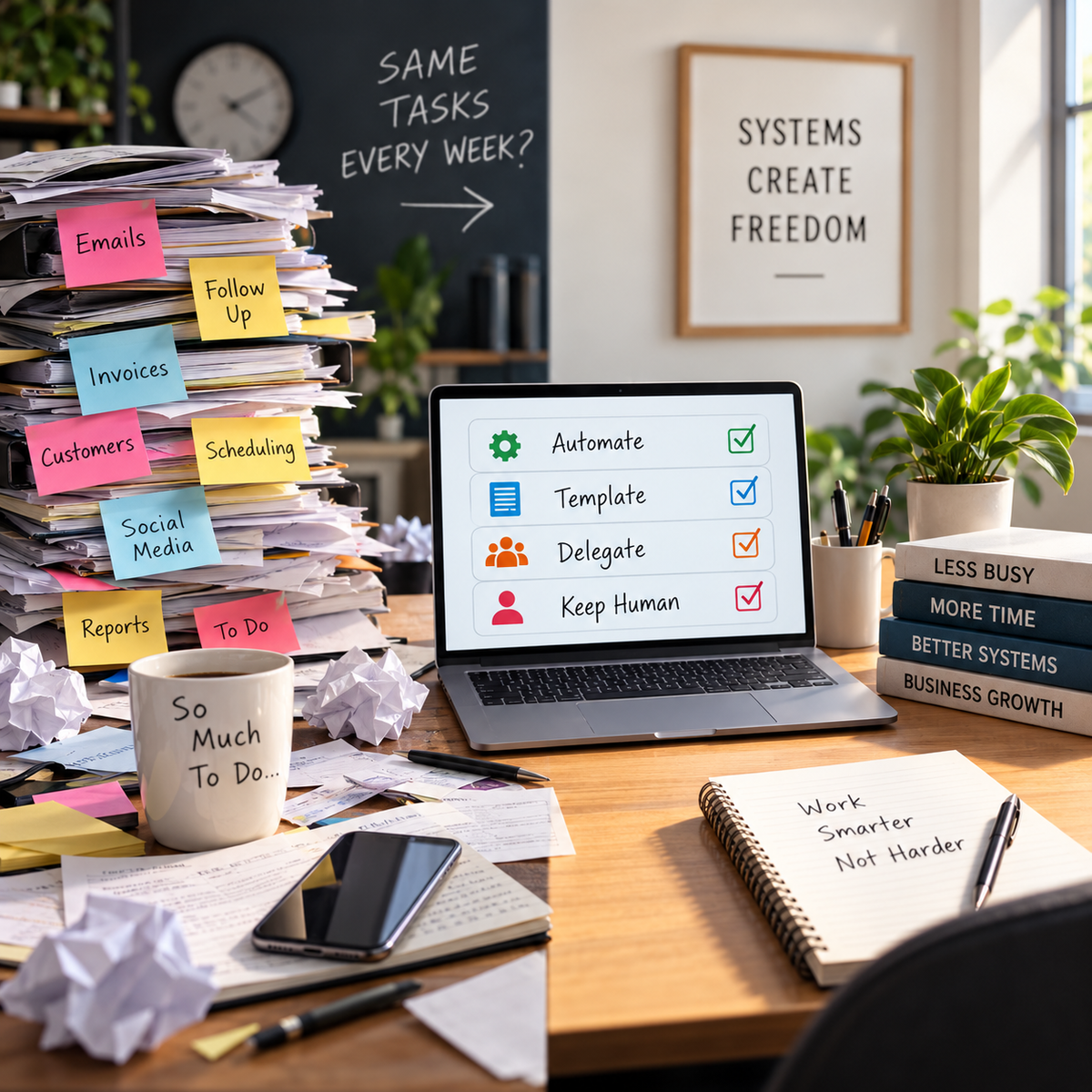
Step 4: Separate automate, template, delegate, and keep human
A busy work audit should not create one giant automation list.
Instead, sort tasks into four buckets.
Bucket 1: Automate
These tasks can happen with little manual effort once the system is set up.
Examples:
- appointment reminders
- lead intake confirmations
- review request reminders
- task reminders
- scheduled weekly summaries
- basic form responses
- recurring checklist creation
Bucket 2: Template
These tasks still need human review, but the first draft can be standardized.
Examples:
- customer replies
- quote follow-ups
- project updates
- referral messages
- late payment reminders
- service explanations
- onboarding emails
Bucket 3: Delegate
These tasks may not need the owner, but they may still need a person.
Examples:
- checking form submissions
- updating customer records
- uploading documents
- organizing files
- sending approved messages
- reviewing supply levels
- preparing reports
Bucket 4: Keep human
These tasks require judgment, relationship management, or risk review.
Examples:
- handling angry customers
- deciding pricing
- negotiating terms
- giving expert advice
- approving final proposals
- resolving disputes
- making security decisions
AI can help sort the task.
But the owner decides what belongs where.
Step 5: Find the “first five” AI wins
Do not try to automate the entire business.
Start with five small wins.
Good first wins usually include:
1. Common customer replies
If customers ask the same questions every week, AI can help create approved templates.
2. Follow-up messages
AI can help draft polite follow-ups for quotes, appointments, unpaid invoices, and past customers.
3. Meeting or call summaries
AI can turn rough notes into tasks, deadlines, and next steps.
4. Appointment prep
AI can create checklists for what to confirm before a meeting, job, consultation, or service visit.
5. Weekly admin review
AI can help summarize what happened this week and what needs attention next.
These are practical, low-drama starting points.
Step 6: Build prompts before buying tools
This is where many businesses get it backwards.
They buy tools first, then try to figure out what to do with them.
A better approach:
- identify the repetitive task
- write the process
- create the prompt
- test the output
- improve the prompt
- decide if a tool or automation is worth adding
Start with prompts.
Then decide what tools fit the workflow.
AI Prompt: Workflow Builder
“Help me turn this repetitive task into a simple workflow: [describe task].
Include: trigger, information needed, steps, human review point, template or prompt needed, and final outcome.
Keep it practical for a small business.”
This helps prevent tool overload.
Step 7: Create approved templates
Automation becomes risky when every message is created from scratch.
Approved templates keep things consistent.
Examples:
New lead template
“Thanks for reaching out. To point you in the right direction, can you send [missing detail]?”
Quote follow-up template
“I wanted to follow up on the quote we sent. Do you have any questions about the scope, timeline, or next step?”
Appointment reminder template
“Quick reminder that we’re scheduled for [date/time]. Please make sure [prep item] is ready before we arrive.”
Review request template
“Thanks again for choosing us. If you had a good experience, would you be willing to leave a quick review?”
AI can create the first draft.
The business owner should approve the final versions.
Step 8: Watch for fake automation
Some tasks look automated but still waste time.
Examples:
- AI writes a long email that you spend 20 minutes editing
- A chatbot answers questions badly and creates more follow-up
- A tool sends reminders, but nobody tracks replies
- A form collects information, but it asks the wrong questions
- A report is generated, but nobody reads it
- A workflow creates tasks, but nobody owns them
That is not automation.
That is digital clutter.
Good automation should make the business easier to run.
If it creates more confusion, fix the process.
Step 9: Use AI to find hidden bottlenecks
Sometimes busy work is a symptom.
The real issue is a broken process.
Examples:
- Too many customers ask the same question because the website is unclear.
- Too many quotes go nowhere because the intake process is weak.
- Too many appointments reschedule because prep instructions are missing.
- Too many invoices are late because payment expectations are unclear.
- Too many follow-ups get missed because there is no tracker.
- Too many files are hard to find because naming rules are inconsistent.
AI can help spot these patterns.
AI Prompt: Bottleneck Finder
“Review these repeated tasks and issues from my small business: [paste list].
Identify the likely bottlenecks causing them.
For each bottleneck, suggest whether I should fix it with a clearer process, a template, training, automation, or a better tool.”
That is where AI becomes more than a writing assistant.
It becomes a business improvement tool.
Step 10: Keep a human review point
Every AI workflow needs a human review point.
That does not mean the owner has to touch every tiny task forever.
But it does mean the business should know where judgment matters.
Examples:
AI can draft a quote follow-up.
Human approves unusual pricing language.
AI can summarize a customer complaint.
Human decides how to respond.
AI can organize a lead.
Human decides whether the job is a fit.
AI can create a checklist.
Human confirms the process is correct.
AI can write a policy draft.
Human reviews it before use.
The rule is simple:
Automate support. Review decisions.
What small businesses should not automate first
Some tasks are tempting, but risky.
Be careful with:
- refunds
- legal responses
- employee discipline
- contract language
- pricing approvals
- customer disputes
- emergency instructions
- security incidents
- medical or regulated information
- sensitive financial communication
- anything involving private customer data
These tasks may still benefit from AI summaries or drafts, but they should not be fully automated without clear review and professional guidance.
A simple AI busy work audit template
Use this table to start.
| Task | How often? | Does it follow rules? | Risk if wrong? | Best action |
|---|---|---|---|---|
| Quote follow-up | Weekly | Yes | Low/Medium | Template |
| Appointment reminder | Daily | Yes | Low | Automate |
| Customer complaint | Monthly | Sometimes | High | Keep human |
| Review request | Weekly | Yes | Low | Automate/template |
| Service explanation | Weekly | Yes | Low | Template |
| Pricing decision | Weekly | No | High | Keep human |
| Call summary | Daily | Yes | Medium | AI draft + review |
| Social post ideas | Weekly | Yes | Low | AI assist |
This does not need to be perfect.
It just needs to help you see what deserves a system.
Why this matters for solopreneurs
Solopreneurs are especially vulnerable to busy work overload.
There is no assistant.
No office manager.
No marketing department.
No operations person.
No backup person catching dropped tasks.
Everything lands on the owner.
That is why AI can be so helpful when it is used carefully.
It can help a solo owner:
- draft faster
- summarize faster
- prioritize faster
- follow up more consistently
- stop rewriting the same messages
- organize the week
- reduce repeated decisions
- create lightweight systems
The goal is not to make the business feel robotic.
The goal is to make the business feel manageable.
The real question: “Should this require my brain?”
At the end of the audit, ask one question:
Should this task require my brain every time?
If the answer is yes, keep it human.
If the answer is no, consider a template, checklist, workflow, or automation.
That one question can change how you run your business.
Because small business owners do not burn out only from hard work.
They burn out from repeating the same low-value work with no system.
Wrap-up
AI can help small businesses save time, but only if they start in the right place.
Do not start with tools.
Start with busy work.
Track what you do.
Sort the tasks.
Use the repeat, rules, risk test.
Create templates.
Build simple workflows.
Keep human review where judgment matters.
That is how AI becomes practical.
If your small business knows AI could help but you are not sure where to start, Managed Nerds can help you audit your workflows, identify safe automation opportunities, build approved prompts, and create practical systems that reduce busy work without adding confusion.