Google Search Console Can Track Your Social Content Now: Why Small Businesses Should Care
Your social posts and videos may be showing up in Google Search. Here’s how Search Console’s platform properties can help small businesses spot what works.

For a long time, Google Search Console was mostly something you used for your website.
You could check:
- which pages showed up in Google Search
- what search terms brought impressions and clicks
- which pages were growing
- which pages were being ignored
But now, Google has added something important for creators, brands, and small businesses:
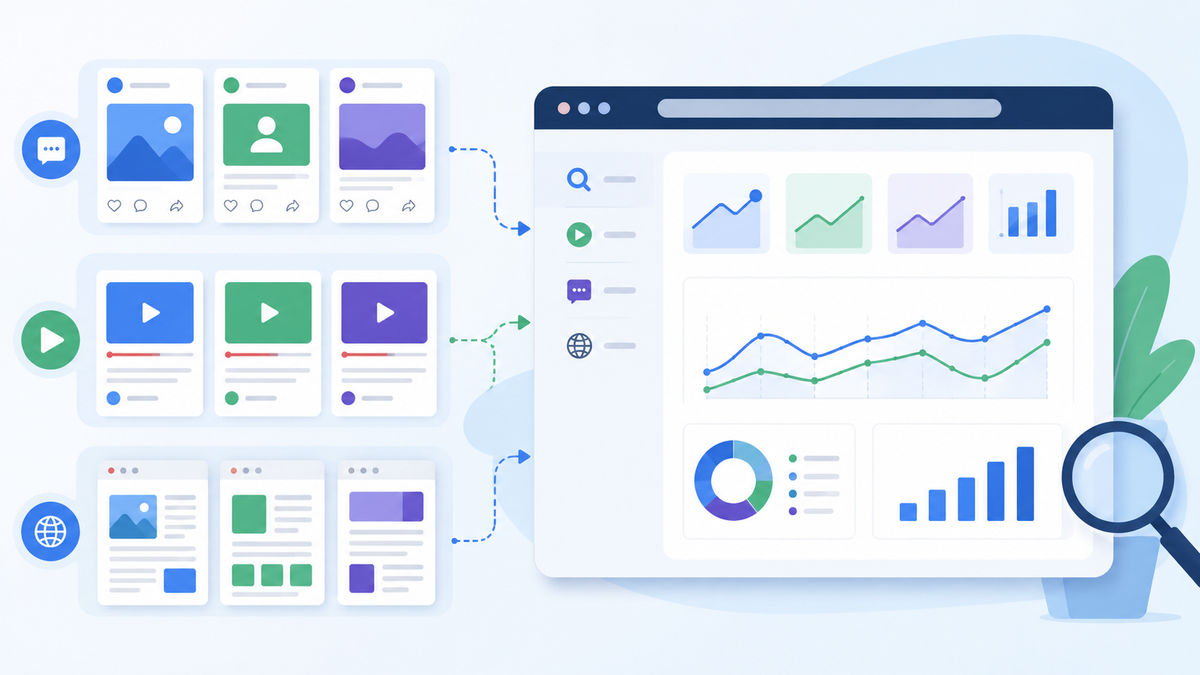
Search Console can track how certain social and video content performs in Google Search and Discover.
Google announced a new Search Console property type called platform properties, which lets users track how content from Instagram, TikTok, X, and YouTube performs across Google Search and Discover. Google says the new reports can show which search terms lead people to those social and video posts and how audiences interact with them.
That may sound like a small reporting update.
It is not.
It is another sign that social content, video content, and SEO are blending together.
What changed in plain English
Search Console’s platform properties let you connect supported social or video accounts and see how content from those platforms appears in Google.
According to Google’s announcement, platform properties are designed to help site owners and creators understand how their social and video posts perform on Google Search and Discover. Supported platforms include Instagram, TikTok, X, and YouTube.
Search Engine Land also reported that platform properties rolled out globally and can track social and video posts across Google Search, Discover, and Google News.
For small businesses, the translation is simple:
Your social posts and videos may be discoverable through Google, not just inside the social app.
And now, in some cases, you can measure that better.
Why this matters for small businesses
Most small businesses treat social media and SEO like separate worlds.
SEO is the website.
Social is Facebook, Instagram, TikTok, YouTube, or X.
Analytics is somewhere else.
Leads are scattered across calls, forms, DMs, and emails.
That creates confusion.
But customer behavior is not that neat.
A customer may:
- search Google
- find a YouTube Short
- check your Instagram
- visit your website
- read reviews
- call from your Google Business Profile
Search Console’s platform properties matter because they help show how off-website content may be participating in search discovery.
That makes your social content part of the bigger SEO picture.
What small businesses should check first
Once you have access and connect the right platform properties, do not drown yourself in data.
Start with a few simple questions.
1) Which social or video posts are earning impressions?
An impression means your content appeared somewhere in Google’s surfaces.
If certain videos or posts are getting impressions, ask:
- What topic was it about?
- Was it a question people search?
- Did it use clear wording?
- Did it connect to a service you offer?
- Could it become a blog or FAQ?
High impressions can reveal topics Google understands and users are searching for.
2) Which search terms are leading to your posts?
This is the gold.
If people are finding your YouTube video or social post through search terms like:
- “small business SEO checklist”
- “Google reviews not showing”
- “how to improve lead quality”
- “SEO vs ads”
- “AI phone assistant small business”
…those phrases should not stay trapped in one post.
Turn them into:
- blog topics
- FAQ sections
- service page updates
- lead magnets
- email topics
- short video series
The search term tells you what people want.
3) Which content gets clicks?
Impressions are useful, but clicks show stronger interest.
If a post gets impressions but few clicks, the topic may be good but the title, thumbnail, or description may need work.
If a post gets clicks, study it.
What made it clear?
Was the hook direct?
Was the topic specific?
Was it tied to a real customer problem?
Was the visual simple?
Do more of that.
4) Which platforms show up most in Google?
You may find that YouTube content performs better than Instagram in search.
Or maybe a TikTok post starts appearing for a specific how-to query.
Or maybe X content is discoverable around timely updates.
Do not guess.
Use the data to decide where to invest more time.
5) Which topics deserve a full webpage?
This is the part that matters most for SEO.
If a social post or video is getting search visibility, that topic may deserve a permanent page on your website.
Example:
If a YouTube Short about “why your Google reviews are missing” gets impressions, create or improve a blog titled:
“Google Reviews Not Showing Up? The Real Reasons and What to Do”
Then link the video and blog together.
That is how you turn social discovery into website authority.
How this connects to your content repurposing system
This update fits perfectly with the “one idea, many formats” approach.
A blog can become:
- YouTube Short
- Instagram Reel
- TikTok
- X post
- GBP post
- carousel
- FAQ update
Now, Search Console may help you see whether some of those social and video pieces are earning visibility in Google Search and Discover.
TechRadar described this update as a way for marketers to gain better insight into how social and video content performs off-platform, which can support better marketing decisions.
That is the key: off-platform content is no longer invisible.
How to use the data without getting overwhelmed
Here is a simple monthly workflow.
Step 1: Review top-performing platform content
Look at your top social/video posts in Search Console.
Focus on:
- impressions
- clicks
- query themes
- platform
- topic
Step 2: Group the topics
Put each top performer into a bucket:
- SEO
- ads
- AI
- Google Business Profile
- website conversion
- lead quality
- social media
- tracking
This helps you see what Google and users associate with your content.
Step 3: Pick one topic to expand
Choose one high-interest topic and turn it into a deeper asset.
Examples:
- blog post
- FAQ
- service page section
- lead magnet
- longer YouTube video
- webinar topic
Step 4: Link the ecosystem together
Do not let content sit in silos.
Connect:
- video to blog
- blog to service page
- service page to lead magnet
- email to blog
- social post to blog
- GBP post to service page
That turns scattered content into a system.
Step 5: Track the next step
Search Console can show search visibility, but it does not tell the full lead story by itself.
Use:
- UTMs
- call tracking
- form tracking
- lead quality notes
- booking data
That way you can see whether visibility turns into real leads.
What this does not mean
This update does not mean every social post is automatically an SEO asset.
It also does not mean you should post random videos and hope Google figures it out.
It means social and video content can support search discovery when the content is clear, useful, and connected to real questions.
Avoid:
- vague motivational posts
- trendy videos with no business relevance
- captions with no context
- videos that never link back to anything
- content with no next step
Search visibility rewards clarity.
Why this matters for social search
We have already talked about TikTok, YouTube, Instagram, and other platforms acting like mini search engines.
This Search Console update adds another layer:
Your content can be found inside the platform and through Google.
That means the same video might support:
- YouTube search
- Google Search
- social discovery
- website traffic
- sales conversations
- future blog ideas
One good piece of content can now work in more places than many business owners realize.
The small-business checklist
If you want to take advantage of this shift, start here:
- Connect available platform properties in Search Console
- Check which posts/videos earn impressions
- Look at search terms tied to those posts
- Turn high-interest questions into blogs or FAQs
- Link social/video content back to relevant website pages
- Use UTMs when sharing links
- Track calls, forms, and booked work separately
- Repurpose winning topics across platforms
That is enough to make the data useful.
The bottom line
Google Search Console is no longer just about your website pages.
With platform properties, small businesses can get better visibility into how social and video content appears across Google Search and Discover.
That matters because SEO, social, and video are blending together.
If a post or video gets found in search, do not treat it as a one-off win. Turn it into a blog, FAQ, service page update, email, or lead magnet.
Need help connecting your social, video, and website content into one SEO system? Managed Nerds offers practical small business SEO and marketing support to help you track what is working, repurpose winning topics, and build content that supports real visibility, not random posting.
Thank you for reading. If you’d like more small business SEO tips, subscribe for updates.