Should You Let AI Actually Do Things in Your Business, or Just Draft Them?
AI tools are moving from writing drafts to taking actions in your systems. Learn how small businesses can allow that safely without handing over the keys.

For the last couple of years, AI in a small business meant one thing: it wrote something, you read it, you decided what to do.
That's changing. The tools shipping now don't just draft the follow-up email — they send it. They update the CRM record, book the appointment, pay the invoice, publish the post. The industry calls these agents, and they're showing up inside software you already pay for, often as a feature you didn't ask for.
The question is no longer whether AI can help. It's which actions you're willing to let it take without asking you first.
Your team already started without you
Here's the part most owners miss. According to Verizon's 2026 Data Breach Investigations Report, regular AI use on company devices jumped to 45% of employees, up from 15% the year before — and roughly two-thirds of that access happens through personal accounts rather than company ones.
So the decision isn't "should we start using AI." It's "should we keep pretending we haven't." An employee using a personal AI account to speed up their work is doing it with no logging, no controls, and no visibility for you.
That's worth a conversation before it's worth a policy.
Drafting and doing are not the same risk
A bad draft costs you two minutes of reading. A bad action costs you a client.
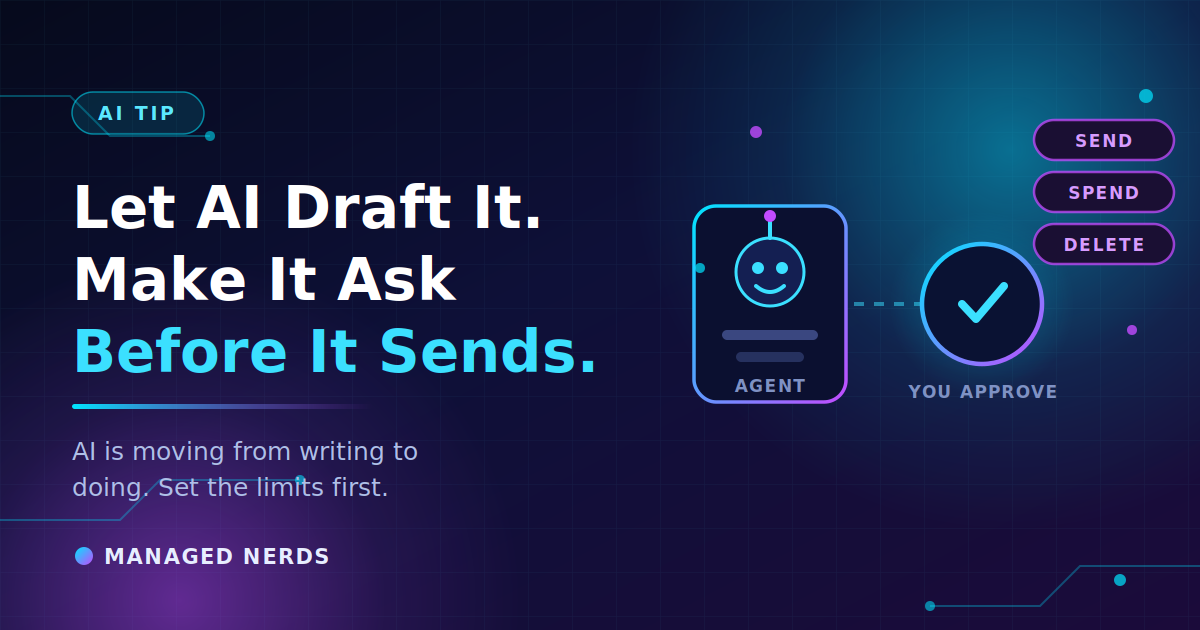
The useful line to draw is this: anything that sends, spends, publishes, deletes, or commits you to something is a different category than anything that reads, summarizes, or drafts. Most of the value in AI for a small business sits comfortably on the safe side of that line — and most of the risk sits on the other.
You can get 80% of the benefit while never crossing it.
Start every tool read-only
When a tool offers to connect to your email, your CRM, your calendar, or your files, give it read access first and live with that for a few weeks.
Ask it questions you already know the answers to. Which deals have gone quiet? Which invoices are past due? What did I agree to in that thread? Then check the answers against the real system.
You're testing two things: whether it's accurate, and whether it's accurate about your business specifically. Tools that sound confident and get your data subtly wrong are the dangerous ones, and you only find that out by checking.
Only after the read path is reliable should you let it write anything — and start with the lowest-stakes objects you have, like internal tasks or draft records, not client-facing messages.
Draw a permissions map
Pick the one workflow where you've given AI the most access. On a single sheet of paper, write down every place it can read, write, send, publish, spend, or delete.
Most people are surprised by their own list. Connecting an assistant to your email doesn't just let it read the message you asked about — it usually grants standing access to the whole mailbox.
Then do two things: remove one permission it doesn't actually need, and add one approval step before the highest-impact action it can take. That's a ten-minute exercise that meaningfully shrinks what can go wrong.
It's the same access problem we wrote about in AI assistants sharing things they shouldn't — just with the ability to act on it.
Nobody approves their own work
If one person built the automation, that person should not be its only reviewer. Familiarity makes strange behavior look normal. You stop noticing that it always phrases things a little oddly, or that it quietly skipped a step last week.
In a small business this doesn't require a committee. It requires one other person glancing at the output once a week and asking whether it still looks right.
And every automated workflow needs a named owner. "The system does that" is how a broken process runs unnoticed for three months.
Plan for the tool changing
AI tools are being acquired, repriced, and cut off from the models behind them at a pace nothing else in your software stack matches. A tool can stay excellent while the business relationship underneath it quietly falls apart.
If a workflow touches your revenue, "we'll figure it out if something changes" isn't a plan. For your three most important AI-assisted workflows, write down what you'd do if the tool disappeared next month — including whether you can export your data and whether anyone still remembers how the task was done manually.
Bottom line
Let AI read everything. Let it draft almost anything. Make it ask before it sends, spends, publishes, or deletes.
Treat it the way you'd treat a capable new hire on their first week: real work, real access to information, and nobody's letting them email a client unsupervised yet. That standard is the same one we apply to deciding which tasks are worth automating at all.
Not sure what your AI tools can currently reach, or who on your team has connected what? Our small business cybersecurity services cover reviewing app permissions, tightening access, and setting up AI tools that don't quietly become a liability. Reach out and we'll take a look.