Social Search Is Real: Why TikTok, YouTube, and Instagram Are Acting Like Mini Search Engines
Your customers may search social before Google. Here’s how to make videos, captions, and posts easier to find without stuffing keywords everywhere.

For a long time, small businesses treated social media like a billboard.
Post a photo. Add a caption. Hope someone sees it.
But that’s not how people use social anymore.
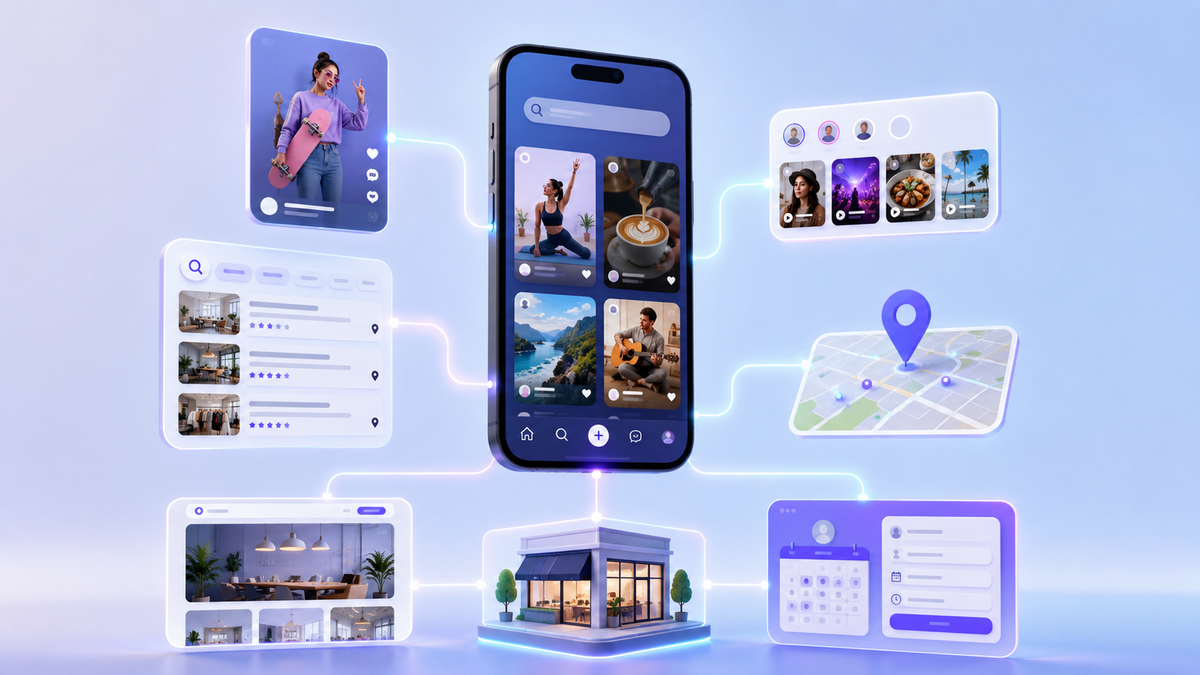
Today, people search inside platforms like TikTok, YouTube, Instagram, Facebook, Reddit, and Pinterest before they ever visit a website. They look for answers, examples, reviews, “how much does it cost” videos, before-and-after proof, and real-world tips from businesses and creators.
That means your social media posts are not just “content.”
They are searchable assets.
And if you run a small service business, that changes the way you should post.
What is social search?
Social search is when people use a social platform like a search engine.
Instead of going to Google and typing:
“best home inspector near me”
They might search:
“what to look for in a home inspection”
or
“home inspection red flags”
on TikTok, YouTube, or Instagram.
Instead of searching Google for:
“how much does SEO cost for small business”
They may search YouTube or TikTok for real examples, tips, or quick explanations.
Pew Research’s 2025 social media usage data shows YouTube remains widely used by U.S. adults, while Instagram and TikTok continue to play important roles across different age groups. That matters because search behavior is spreading across the platforms people already use every day.
Why social search matters for small businesses
People don’t always want the most polished answer.
Sometimes they want the most understandable answer.
They want to see:
- someone explaining the problem simply
- what the work looks like
- what a real result looks like
- what mistakes to avoid
- what it might cost
- whether the business feels trustworthy
This is why social search is powerful for small businesses. You don’t have to act like a national brand. You need to answer the questions your local customers are already asking.
The old way vs. the new way
The old way:
- Post random updates
- Use generic captions
- Add hashtags at the end
- Hope the algorithm likes it
The new way:
- Pick a question people actually search
- Say the keyword naturally in the video
- Put the topic clearly in the caption
- Use simple location cues
- Add a next step
The goal is not to “game” the platform.
The goal is to be easy to understand.
What platforms are becoming searchable?
YouTube
YouTube has been a search engine for years. People go there for:
- how-to content
- product comparisons
- tutorials
- expert explanations
- longer trust-building videos
For small businesses, YouTube is great for:
- “how it works” videos
- service explainers
- FAQ videos
- before-you-hire advice
A YouTube video can keep working for months or even years if the topic matches search intent.
TikTok
TikTok is especially useful for discovery and quick answers.
TikTok has even expanded search-focused ad products. Its Search Ads Campaign supports keyword targeting, match types, negative keywords, and search term reports, which shows how seriously the platform is treating search behavior.
For small businesses, TikTok is useful for:
- quick tips
- “3 signs you need…” videos
- myth vs. fact posts
- common mistake videos
- simple demonstrations
You do not have to dance. You do not have to be trendy. You just need to be useful and clear.
Instagram is a visual trust platform.
People use it to check whether a business feels active, real, and credible.
Instagram works well for:
- before-and-after posts
- Reels with quick tips
- carousel checklists
- project photos
- behind-the-scenes proof
- location-based content
If your Instagram looks abandoned, people may wonder if your business is still active.
How to make posts searchable without sounding robotic
Here is the key:
Use the words your customers would use.
Not industry jargon.
Not clever brand phrases.
Not vague marketing language.
If your customer says “my website is slow,” don’t make every post say “technical performance optimization.”
Say “slow website.”
If your customer says “Google reviews disappeared,” say “Google reviews not showing up.”
If your customer says “how much does SEO cost,” say that clearly.
Searchable content starts with normal language.
The 5 places to use keywords naturally
1) The video title or first line
Make the topic obvious immediately.
Examples:
- “Why your Google reviews aren’t showing up”
- “How long should a small business video be?”
- “What to post when you don’t have time”
- “Why your website form is killing leads”
2) The spoken words
If it’s a video, say the phrase out loud naturally.
Example:
“Here’s why your Google reviews might not be showing up.”
Many platforms use audio, captions, and context to understand content.
3) The caption
Your caption should repeat the idea clearly.
Example:
“If your Google reviews are missing, it may be a delay, filter, duplicate profile, or policy issue. Here’s what to check first.”
4) The on-screen text
Use short, readable phrases.
Not paragraphs.
Good:
“Reviews not showing?”
“Slow website?”
“Leads ghosting?”
Bad:
“Comprehensive digital visibility optimization framework”
5) Hashtags
Hashtags still help organize content, but they are not magic.
Use a mix of:
- service keywords
- location tags
- audience tags
Example:
#smallbusinessseo
#augustaga
#localbusinessmarketing
#googlereviews
#servicebusiness
Do not use 30 random hashtags. Use the ones that actually fit.
The best social-search topics for small businesses
If you don’t know what to post, start with these categories.
“How much does it cost?”
People search cost questions all the time.
Examples:
- “How much does SEO cost for a small business?”
- “How much should I spend on Google Ads?”
- “How much does a website audit cost?”
You do not always have to give one exact number. You can explain ranges, factors, and what affects pricing.
“Signs you need…”
These are great for service businesses.
Examples:
- “3 signs your website is losing leads”
- “5 signs your Google Business Profile needs cleanup”
- “Signs your ads are attracting junk leads”
“Mistakes to avoid”
These are easy to make and easy to watch.
Examples:
- “Stop sending ad traffic to your homepage”
- “Don’t boost posts before fixing your offer”
- “The biggest mistake with Google Ads keywords”
“Before you hire…”
This builds trust without being pushy.
Examples:
- “Before you hire an SEO company, ask this”
- “Before you run ads, check your tracking”
- “Before you redesign your website, fix this first”
“What happens next?”
People love process clarity.
Examples:
- “What happens after you request an SEO audit?”
- “What happens after someone fills out your contact form?”
- “What happens after a Google Ads click?”
How to connect social search back to SEO
Social search should not live in a separate world.
Use it to support your website and Google visibility.
Here’s the simple loop:
- Turn a blog topic into 3 social posts
- Use the same question in a Reel, TikTok, or YouTube Short
- Link back to the full blog when appropriate
- Add the topic to your FAQ section if it keeps coming up
- Use UTM links so you can see which platforms drive traffic
Now your content works across:
- social media
- SEO
- Google Business Profile
- retargeting
That is how small businesses get more mileage from every idea.
What not to do
Avoid these common mistakes:
- keyword stuffing captions
- copying competitors without adding your own point of view
- using trending audio that has nothing to do with your service
- posting vague motivational content only
- never mentioning your service area
- never giving people a next step
Social search rewards clarity.
So be clear.
A simple weekly social-search plan
Try this:
Monday: Answer a question
Example:
“Why aren’t my Google reviews showing up?”
Wednesday: Show proof
Example:
Before/after, testimonial, result, quick win.
Friday: Give a next step
Example:
“If your GBP is outdated, start with categories, services, photos, and reviews.”
That gives you:
- one searchable answer
- one trust builder
- one soft CTA
Simple. Repeatable. Useful.
The bottom line
Social media is not just for posting anymore.
It is where people search, compare, and decide.
That means your posts need to be:
- clear
- searchable
- useful
- local when relevant
- connected back to your website and SEO strategy
You don’t need to chase every trend.
You need to answer the questions your customers are already asking.
Need help turning social posts into a searchable content system that supports your small business SEO? Managed Nerds offers practical marketing and SEO support to help you choose the right topics, build repeatable content, optimize your website, and connect social traffic back to real leads.
Thank you for reading. If you’d like more small business SEO tips, subscribe for updates.