Your Competitor Is Buying Your Name: The Simple Brand Protection Strategy
If someone searches your business name and sees a competitor first, you’re losing warm leads. Here’s how brand bidding works and how to protect your name.


If a customer searches your business name and clicks a competitor instead, that’s not “marketing noise.”
That’s a warm lead getting intercepted.
This happens more than most small businesses realize, especially in local markets where:
- competitors know your name
- customers search your brand after seeing your truck, reviews, or referral
- the decision is made fast (often right on the search results page)
So let’s talk about what’s happening, how to check it, and how to protect your brand without overcomplicating your ad account.
What “bidding on your name” means
In Google Ads, advertisers can target keywords like:
- your business name
- close variations of your name
- “your business name + city”
When someone searches that phrase, Google may show a competitor’s ad above your organic listing or your map pack result.
It’s not personal. It’s strategy.
And if your brand has any awareness in your area, it can be profitable for them.
Why this matters so much
Brand searches are high intent.
If someone types your business name, they’re usually:
- looking for your phone number
- trying to find your hours
- trying to book
- double-checking reviews before contacting you
So brand hijacking doesn’t steal random traffic. It can steal the best traffic.
How to tell if it’s happening (fast checks)
You don’t need fancy tools to spot this.
Quick check #1: Search your name (incognito)
Open an incognito/private browser and search:
- your business name
- your business name + city
Look for:
- competitor ads above your results
- “Ad/Sponsored” listings that aren’t you
Quick check #2: Ask a friend to search on their phone
Phones often show ads differently. Have someone else search to confirm what you see.
Quick check #3: Look at your Google Ads “auction” signals (if you run ads)
If you already run Google Ads, you may see signs in impression share changes and rising brand CPC, even if you didn’t change anything.
The simple fix: run a brand protection campaign
A brand campaign is a small, tightly controlled Search campaign targeting your business name.
The point is not to “generate new demand.”
The point is to:
- protect the traffic you already earned
- control the message people see
- prevent competitor interception
Why brand campaigns are usually worth it
Brand clicks often:
- cost less than non-brand
- convert higher
- reduce confusion
- help you control your sitelinks and callouts (like service area, “book now,” etc.)
Even a small budget can protect you if the setup is clean.
How to set up brand protection the right way
You don’t need 50 keywords. Keep it clean.
Step 1: Use tight match types
Start with phrase and exact around your brand:
- your exact business name
- close spelling variations people commonly type
- your name + city (if common)
Avoid broad match on brand unless you know what you’re doing, because it can pull in weird “related” searches.
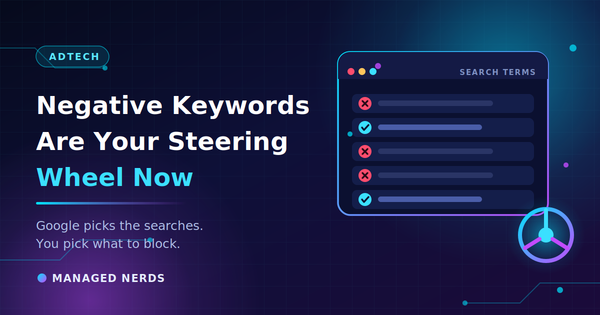
Step 2: Add negatives to prevent junk
Brand terms can still attract:
- jobs seekers (“Managed Nerds jobs”)
- support requests you don’t handle
- random “reviews” terms that don’t convert
Add negatives like:
- jobs, hiring, career
- free (if it attracts junk)
- whatever your search terms reveal weekly
Step 3: Use a clean landing destination
For most businesses, brand traffic should go to:
- your homepage (if it’s clear and fast), or
- a “Contact/Book” page if that’s the primary intent
If people are searching your name, make the next step easy:
- call
- message
- book
Step 4: Track calls and bookings
Brand campaigns are often judged incorrectly because people call instead of filling out forms.
If you can, track:
- calls
- form fills
- booked appointments
Otherwise brand performance looks “invisible” on paper.
The big mistake: letting PMax or non-brand campaigns eat brand traffic
If you run Performance Max or broad non-brand Search, branded searches can get mixed into the wrong campaign. That can make results look inflated and muddy your reporting.
Clean approach:
- Brand Search campaign = brand intent
- Non-brand Search = service intent
- PMax = controlled expansion (ideally with brand controls)
How much should you spend?
If you’re not currently running ads, start small.
A simple approach:
- set a low daily cap (enough to appear consistently)
- review weekly
- increase only if competitors are consistently appearing above you
The goal isn’t “spend more.”
The goal is “own your name.”
What if you don’t want to run ads at all?
You can still reduce risk by strengthening the “free” visibility layer:
- keep your Google Business Profile complete and active
- build review velocity (steady reviews over time)
- make sure your phone number and hours are obvious everywhere
- tighten your website service pages so customers recognize you fast
But if competitors are aggressively bidding on your name, a small brand campaign is often the cleanest defense.
The bottom line
If a competitor is buying your name, they’re trying to intercept the warmest leads you have.
Protect yourself with:
- a tight brand Search campaign
- strong match types + negatives
- clear landing experience
- call tracking where possible
- clean campaign separation (brand vs non-brand vs PMax)
Need help protecting your name and connecting ads to long-term visibility? Managed Nerds offers small business SEO and practical ad strategy support to help you build a clean campaign structure, tighten tracking, and make sure the leads you’ve earned don’t get siphoned away.
Thank you for reading. If you’d like more small business SEO tips, subscribe for updates.