If a Website Tells You to Paste Something Into Your Computer, Stop
Attackers have stopped trying to sneak malware past your defenses. Now they ask you to run it yourself, disguised as a CAPTCHA or a system update.

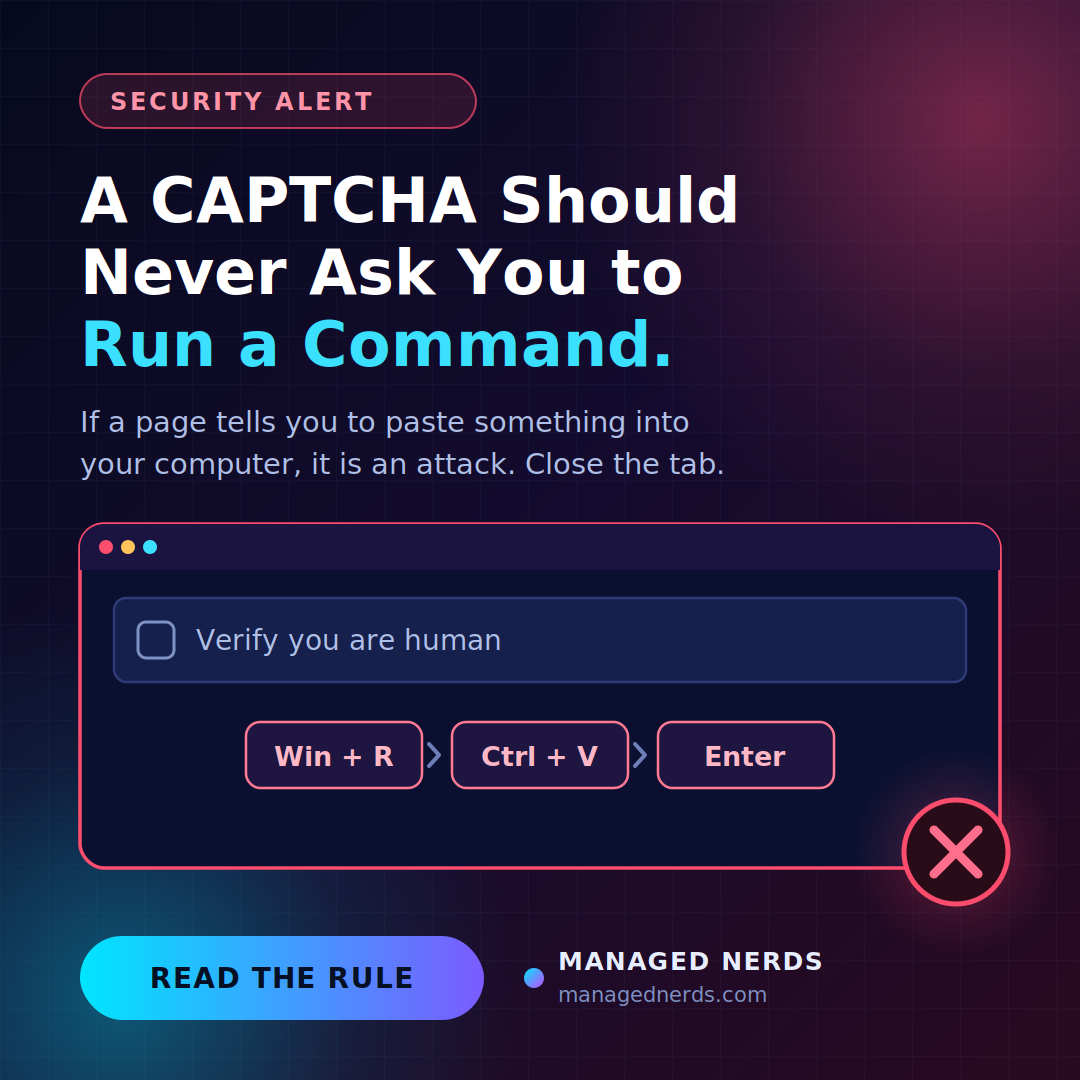
You click a link. A verification box appears — the kind you've clicked through a thousand times. But this one gives instructions:
Press Windows key + R. Press Ctrl + V. Press Enter.
Three keystrokes, and you've just installed malware on your own computer.
The technique is called ClickFix, and Microsoft Threat Intelligence published new findings on an active campaign on October 3. It's worth five minutes of your attention during Cybersecurity Awareness Month, because it defeats almost everything small businesses rely on to stay safe.
Why this one is different
Most security advice is about not being fooled into opening something. Don't click the attachment. Don't download the file.
ClickFix skips all of that. There's no attachment and no download for your antivirus to inspect. The page quietly puts a command on your clipboard, then walks you through pasting and running it yourself.
That's the clever, nasty part. A command typed or pasted into Run or PowerShell by a human being looks far less suspicious to security software than the same command launched by a browser — because normally, the person typing it is you, doing your job. The malware runs with your permissions, on your account, because you authorized it.
In the campaign Microsoft documented, the attackers went further: the payload is pre-loaded into your browser's cache disguised as an image file, so the command you paste is short enough to fit neatly in the Run box and doesn't need to fetch anything obvious from the internet.
The disguises keep changing
Don't memorize the look of it, because it changes constantly. Reported lures include:
- A CAPTCHA or "verify you're human" check
- A browser error telling you something needs repairing
- A fake Windows update screen asking you to install a critical security patch
- A simulated blue screen with repair instructions
- A document that "can't be displayed" until you run a fix
They arrive through phishing emails, malicious ads, hacked websites — including ordinary small business sites that were never updated — and fake job listings.
There's also a variant that sends you to Windows Terminal or PowerShell instead of the Run box, which lets attackers run longer, more complex scripts. And Mac users aren't exempt; the same approach works by directing people to Terminal.
What it costs you
The payloads are usually information stealers. They take saved browser passwords, session cookies that let someone skip your login entirely, cryptocurrency wallets, and documents. Some campaigns deliver remote access tools, and some end in ransomware.
For a small business, the realistic damage is someone walking into your email, your bank, or your advertising account using a session your browser already had open — no password needed.
The one rule
Here is the entire defense, and it fits in a sentence:
No legitimate CAPTCHA, browser check, software update, or IT support process will ever ask you to paste a command into Run, Terminal, Command Prompt, or PowerShell. If a page asks you to do that, it is an attack. Close the tab.
That's it. There's no judgment call, no spotting a subtle typo in a URL, no checking whether the logo looks right. Any page asking you to run a command is hostile, every time, with no exceptions.
Send that paragraph to your team today. It's the rare piece of security advice that's genuinely one rule, and it covers every version of this attack, including the ones that haven't been invented yet.
If someone already did it
Assume credentials are gone and move fast:
- Disconnect the computer from the network. Unplug the ethernet cable or turn off Wi-Fi.
- Change passwords from a different device — not the affected one. Start with email, then banking, then anything with payment access.
- Sign out all active sessions on your important accounts, and check for any new or unfamiliar devices and app permissions. Stolen session cookies are the point of these attacks, so changing the password alone may not lock the attacker out.
- Call your IT support before wiping anything. Deleting the obvious file doesn't remove what it installed, and someone who knows what to look for needs to see the machine.
- Watch for follow-on phishing. Stolen mailbox access often leads to convincing fake invoices sent to your own contacts — the same family of trick as fake Microsoft login portals.
Make it safe to say "I think I did something dumb"
The difference between an incident and a disaster is usually how quickly someone speaks up.
If your team believes they'll be blamed, they'll stay quiet and hope nothing happens, and you'll find out weeks later. Tell them plainly: if you pasted something you shouldn't have, say so immediately and nobody is in trouble. Fast reporting means passwords get reset and sessions get revoked before anyone uses them.
Bottom line
Attackers stopped trying to sneak past your defenses and started asking you politely to carry the malware in yourself. It works because the instructions look like routine verification and because, technically, you did it.
One rule covers it. Nothing legitimate ever asks you to paste a command into your computer.
Want security that assumes your team is busy and sometimes clicks the wrong thing? Our small business cybersecurity services cover endpoint protection, account monitoring, and the training that stops this before it starts. Reach out and we'll look at where you stand.